
Saving your photos
Your photographer’s gallery is expiring. Here’s how to keep the photos.
Galleries from Pixieset and Pic-Time close on an expiry date your photographer chooses, and after that you can’t open or download them. Download the whole gallery first, on a computer if you can, with the download PIN if the gallery asks for one. Then add the photos to one private family album, so the grandparents and the rest of the family can see them in full quality, long after the link stops working.
Last updated
Lumo is a free, private family album for iPhone, iPad and Android. Send one link and the whole family can join.
Invited to a Lumo album? Open it in any web browser: app.lumomagic.com

How a gallery expires
- <strong>Pixieset:</strong> on the expiry date, at 11:59 pm in the photographer’s time zone, the gallery is hidden and you can no longer see the photos. It isn’t deleted, and the photographer can publish it again. Reminder emails before the date are optional: your photographer decides whether to send them.
- <strong>Pic-Time:</strong> on the expiry date the gallery goes offline. The main client gets an alert 7 days, 4 days and 1 day before, and an email when it has expired. The photographer can move the date and put the gallery back online.
- Either way, the photographer chooses the date. Check the gallery or the delivery email for it, and save the photos well before.
Save the whole gallery on a computer
A computer is the quickest way to save a whole gallery. In a Pixieset gallery, click the Download icon at the top right, enter your email address and the 4-digit download PIN if one is asked for, choose the largest size offered, and click Start Download. The photos arrive as a ZIP file, and a large gallery can come as several ZIP files. Open each ZIP to get the photos out.
In a Pic-Time gallery, use the gallery’s download option. What you can download, and at what size, depends on the permissions your photographer set. If you can’t find the PIN or a download button, ask your photographer: they set both.
On a phone
- In a Pixieset gallery, tap ⋮ at the top right, then Download, enter your email and the PIN, and tap Start Download. The gallery arrives as a ZIP file, which iPhone and Android phones can open without another app.
- To save one Pixieset photo on an iPhone, tap the photo, tap Download, then press and hold the photo that opens and save it. On Android it downloads straight away.
- For Pic-Time, open the gallery in your phone’s browser, or in the Pic-Time app on the App Store and Google Play.
Keep them where the family can see them
Lumo can’t open a gallery link, so the photos come from the files you saved. Start a family album in Lumo and add them: up to 30 at a time in the app, or the whole gallery at once in a browser at app.lumomagic.com, which is easiest straight after unzipping on a computer. Photos stay in full quality, sorted by the date each was taken.
Then, in the Family tab, tap Invite someone and send the link to the family chat. Grandparents and relatives open the photos on their own phone, tablet or computer, leave a heart or a comment, and add their own. The album doesn’t expire.
Sharing photos with grandparents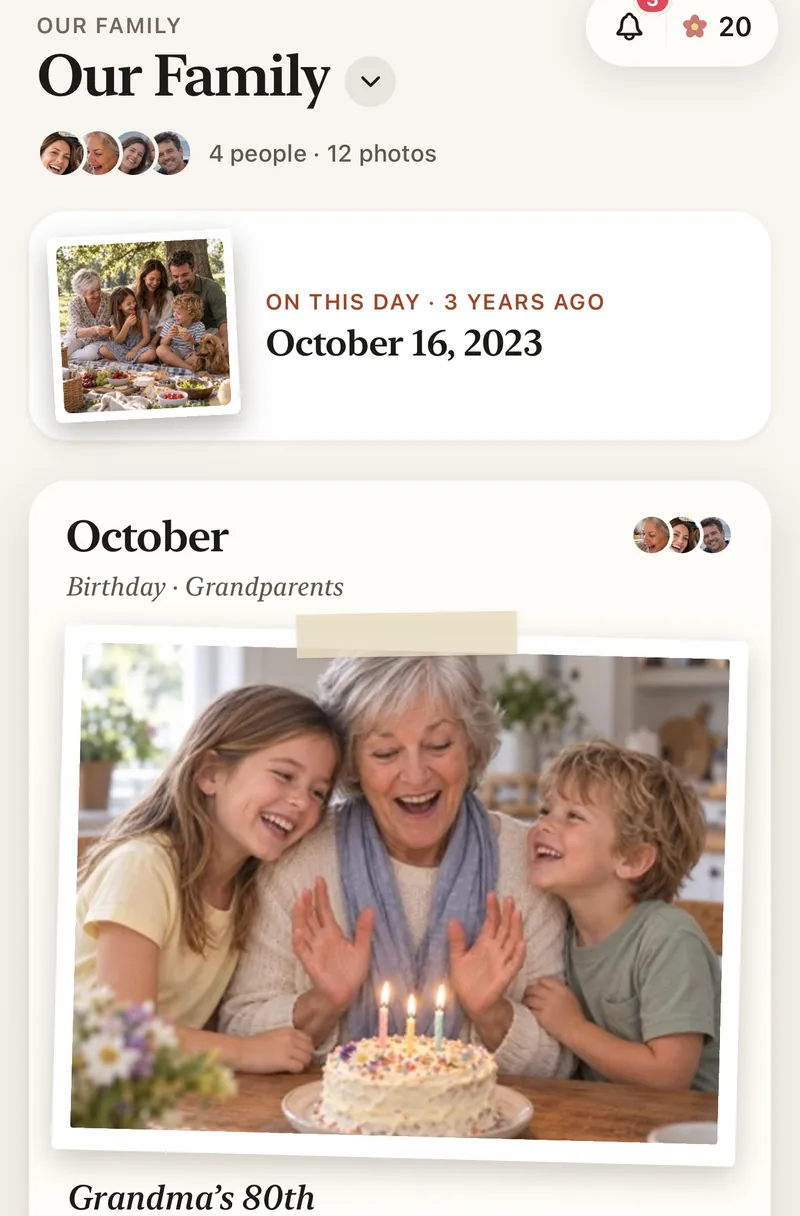
Keep your own copy too
Photographers often remind clients that a gallery isn’t a backup. Keep the downloaded files on your computer or a drive as well. If the gallery has already expired, ask your photographer: both Pixieset and Pic-Time let them reopen it.
Where these facts come from
Pixieset’s help pages on gallery expiry dates, expiry reminder emails, your client’s download experience, downloading photos to mobile devices and download settings, and Pic-Time’s on gallery expiration dates and client downloads, all checked 8 November 2026. Menus can move a little between versions.
Pixieset and Pic-Time are trademarks of their owners. Lumo isn’t affiliated with or endorsed by either.
How to keep your photographer’s photos
- Find the expiry dateIn the gallery or the delivery email.
- Download the whole galleryOn a computer, with the download PIN if asked, at the largest size.
- Add the photos to a family albumAll at once at app.lumomagic.com, or 30 at a time in the app.
- Invite the familyOne link in the family chat, and everyone sees them in full quality.
Questions
Can an expired gallery be opened again?
Only by your photographer. On Pixieset an expired gallery is hidden, not deleted, and can be published again; on Pic-Time the photographer can change the date and put it back online. Whether they do is up to them, so save your photos before the date.
Will I get a reminder before it expires?
On Pic-Time, the main client gets alerts 7 days, 4 days and 1 day before. On Pixieset, only if your photographer has set up reminder emails for that gallery.
Where do I find the download PIN?
Pixieset galleries ask for a 4-digit PIN by default, and your photographer can see or change it. If it isn’t in the email that delivered the gallery, ask your photographer.
Can Lumo import my gallery link?
No. Download the photos first, then add them to Lumo from your phone or computer.
Will the family see the photos in full quality?
Yes. Photos are kept in full quality, and videos whole, up to 3 GB each.
Start your family album.
Free. Private to your family. No ads, ever.