
iPhone and Android
Share photos between iPhone and Android, the whole family.
Most families have both. Here are the ways to share photos across iPhone and Android in 2026, how each one works, and when a family album that works the same on every phone is simpler.
Free on iPhone, iPad and Android. Private to your family.
No app? Open your album in any web browser: app.lumomagic.com
Option 1: an iCloud shared album
On the iPhone, open Photos, go to Collections, then Shared Albums, and tap Add. Name the album, choose photos, set Sharing Options to invite people or share by link, and send the link.
Since iOS 27, people without an Apple device can join and add photos on the web, in a browser. Albums made this way keep photos at full quality, and everything in them, including what others add, counts toward the owner’s iCloud storage. Albums made before iOS 27 don’t use storage, but keep photos at 2048 pixels and videos up to 15 minutes at 720p.
Option 2: a Google Photos shared album
Google Photos works on both. Select photos, tap Create, then Album, name it, tap Share, and choose people by email or phone number. People with a Google Account can add photos and comments.
You can also create a link. Anyone who has it can open the album without signing in, so treat it as unlisted rather than private. Your own photos count toward your Google storage: 15 GB free, shared with Gmail and Drive.
Option 3: a family album app
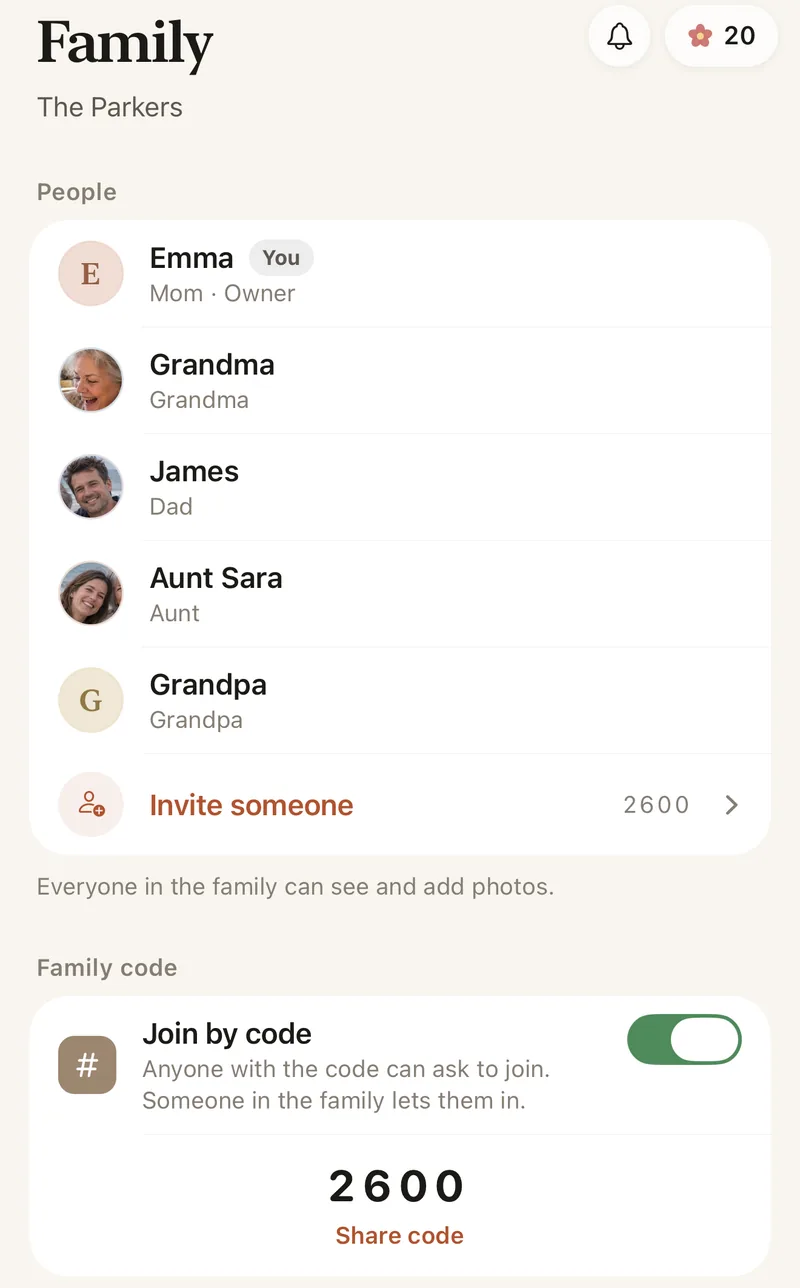
Lumo is a private album made for one family, with the same app on iPhone, iPad and Android. Everyone adds photos and videos to one album and sees the same thing, and nothing is public. It’s free, with no storage to buy.
- The same app on iPhone, iPad and Android
- Unlimited photos and videos, free
- Join with a private link or a 4-digit family code
Whichever you choose, check the link
A link anyone can open can also be forwarded. Lumo has no public album link: people join with an invite that stops working after 30 days, or a code that only asks to join, and you can remove someone at any time. Photos are encrypted in transit and at rest.
Which one suits your family?
If you share a few albums a year with people already on Apple or Google, the built-in albums work well. If the family wants one place for everyday photos and long videos, with grandparents on any phone, a family album is simpler.
Family photo apps comparedHow to share across iPhone and Android with Lumo
- Install LumoFree on the App Store and Google Play.
- Start the album on one phoneGive it a name and add a few photos.
- Send the invite in the family chatEveryone taps it and signs in, on any phone.
- Everyone adds photosOne album, the same on iPhone and Android.
Questions
Can Android phones see an iCloud shared album?
Yes, in a web browser. Since iOS 27, people without an Apple device can join an iCloud shared album and add to it on the web. Older albums can be shown on a public website, which anyone with the link can open.
Does Lumo work the same on iPhone and Android?
Yes. It’s the same album, the same features and the same photos for everyone, whatever phone they use.
How does Lumo keep our photos safe?
Photos are encrypted in transit and at rest, and only signed-in members of your family album can open them. Invite links stop working after 30 days, a family code only asks to join, and you can turn the code off or remove someone at any time. There are no ads, and we don’t sell your data.
Is Lumo really free?
Yes. The album, unlimited photos and videos, inviting family, hearts and comments are all free. Lumo Pass is optional, for unlimited magic, full-length videos and saving originals. Unlimited means unlimited for everyday family use, under fair use.
Where do these steps come from?
From Apple’s and Google’s own help pages, checked in October 2026. Menus can move a little between app versions.
Start your family album.
Free. Private to your family. No ads, ever.