
Sharing kids’ photos privately
Share your kids’ photos with family, not the internet.
More parents are posting less. The photos still matter to grandparents, aunts and uncles. A private family album lets the people who love your kids see every photo, and nobody else.
Free on iPhone, iPad and Android. Private to your family.
No app? Open your album in any web browser: app.lumomagic.com

Why parents are posting less
Sharing children’s lives online even has a name, “sharenting”. Once a photo is posted, it’s hard to control where it goes: it can be saved, reshared, or found years later by the child in it.
That doesn’t mean keeping photos to yourself. It means choosing who sees them, and giving family a better place to see them than a public feed.
A private album instead of a feed
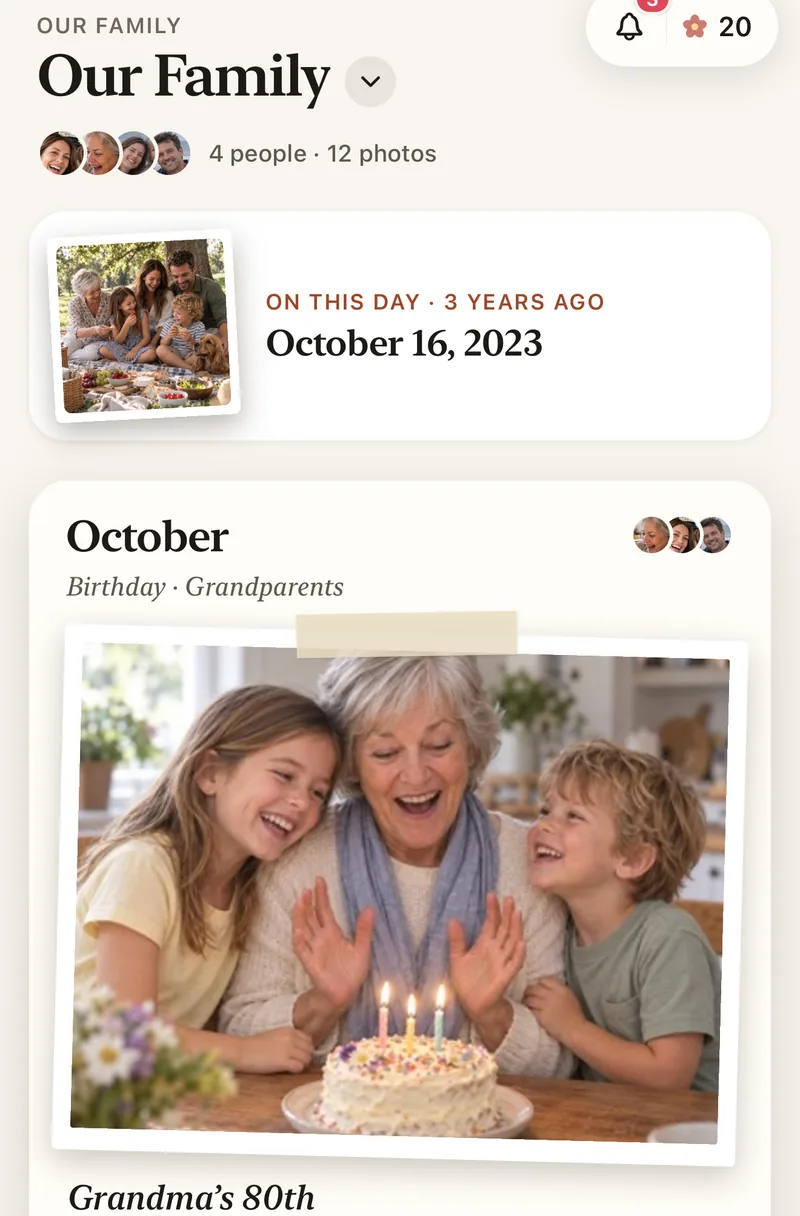
Lumo is one photo album for your family. Everyone you invite can add photos and videos and see them as they happen, sorted by month, with hearts and comments beside each one.
There is nothing to set to private, because nothing is public: no profiles, no followers, no search and no ads.
- Only people you invite can open the album
- No public profiles, followers or search
- No ads, and we don’t sell your data
You decide who’s in
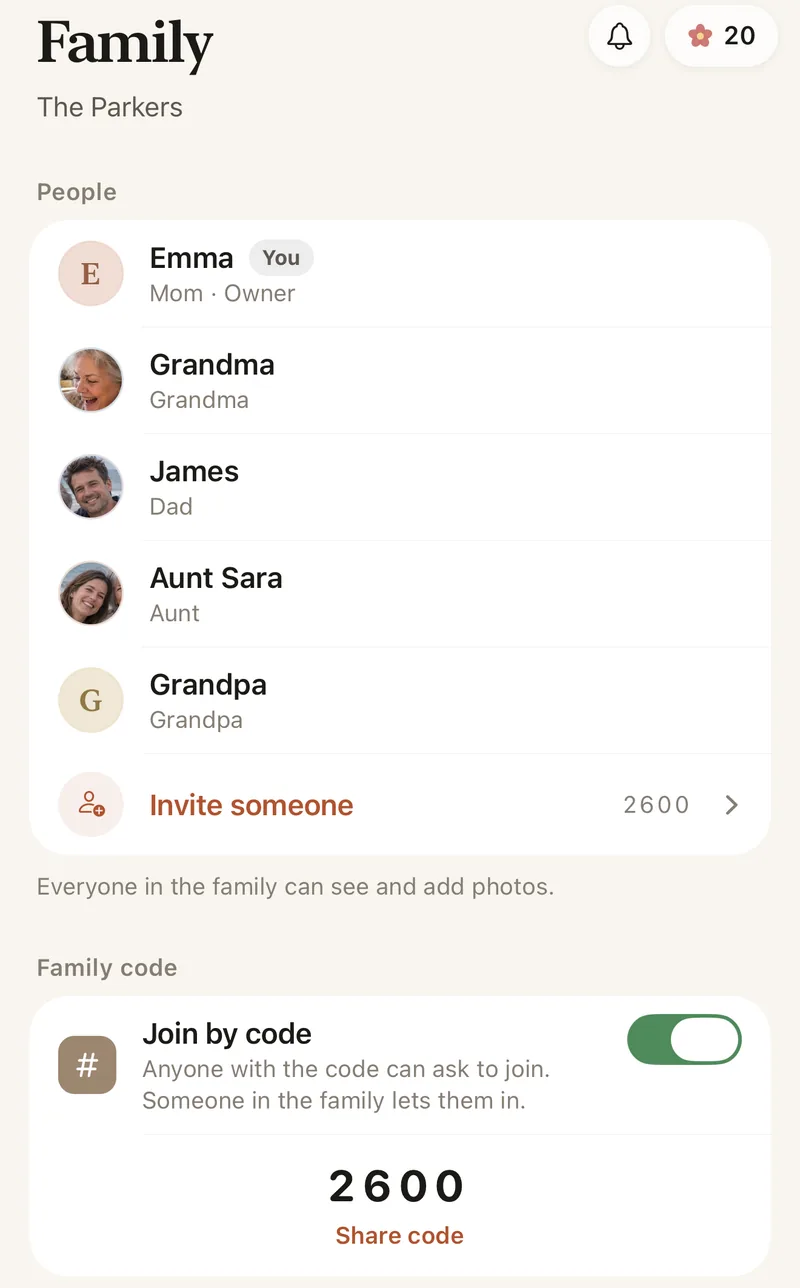
Invite people with a private link, which stops working after 30 days, or share your 4-digit family code. A code only asks to join; someone in the family lets each person in.
Once everyone is in, turn the code off. Turning it back on makes a new code, so one shared long ago stops working. You can remove someone from the album at any time.
Sharing one photo outside the family
Sometimes a photo is for one friend. Lumo can make a private link to that single photo. It opens for 45 minutes, then shows only a small preview, so a forwarded link doesn’t keep your child’s photo on show. The person who shared it can turn the link off sooner.
Where AI fits in, and where it doesn’t
Lumo doesn’t run AI over your album. AI is used only in Lumo Magic, when someone in the family taps it on a photo to make a coloring page, a card or a painting. That one photo is sent to make the new picture, the result is saved next to it, and the original stays exactly as it was.
Read our privacy policyHow to set up a private album for your kids’ photos
- Start a family albumFree, on iPhone, iPad or Android.
- Invite the people who matterSend a private link, or share your 4-digit family code.
- Add photos as they happenFrom your phone, a few or a few hundred at a time.
- Close the doorWhen everyone is in, turn the family code off.
Questions
Who can see our photos?
Only the people in your family album. Nothing is public, there are no followers, and photos are never shown to anyone outside your family.
How does Lumo keep our photos safe?
Photos are encrypted in transit and at rest, and only signed-in members of your family album can open them. Invite links stop working after 30 days, a family code only asks to join, and you can turn the code off or remove someone at any time. There are no ads, and we don’t sell your data.
Does Lumo use AI on our photos?
Only when someone in your family asks. Lumo Magic runs when someone taps it on a photo: that one photo is sent to OpenAI or Google to make the new picture, which is saved next to the original. The rest of the album isn’t sent anywhere for AI, and the original stays exactly as it was. More in our privacy policy.
Is Lumo for kids to use?
No. Lumo accounts are for adults: parents, grandparents and the rest of the family. Photos of children shared by their family are seen only inside that family’s album.
Is Lumo really free?
Yes. The album, unlimited photos and videos, inviting family, hearts and comments are all free. Lumo Pass is optional, for unlimited magic, full-length videos and saving originals. Unlimited means unlimited for everyday family use, under fair use.
Start your family album.
Free. Private to your family. No ads, ever.