
For older parents
Family photos your parents can actually find.
Group chats move too fast and shared albums hide in menus. Lumo is one private album with every family photo, newest first, that’s easy to open and hard to get lost in.
Free on iPhone, iPad and Android. Private to your family.
No app? Open your album in any web browser: app.lumomagic.com

One place, newest first
Every photo the family adds lands in the same album, sorted by month, with big photos and the name of whoever added it. There are no feeds, stories or ads to scroll past.
Tap a photo to see it full screen. Tap the heart to say you love it; the family sees who did.
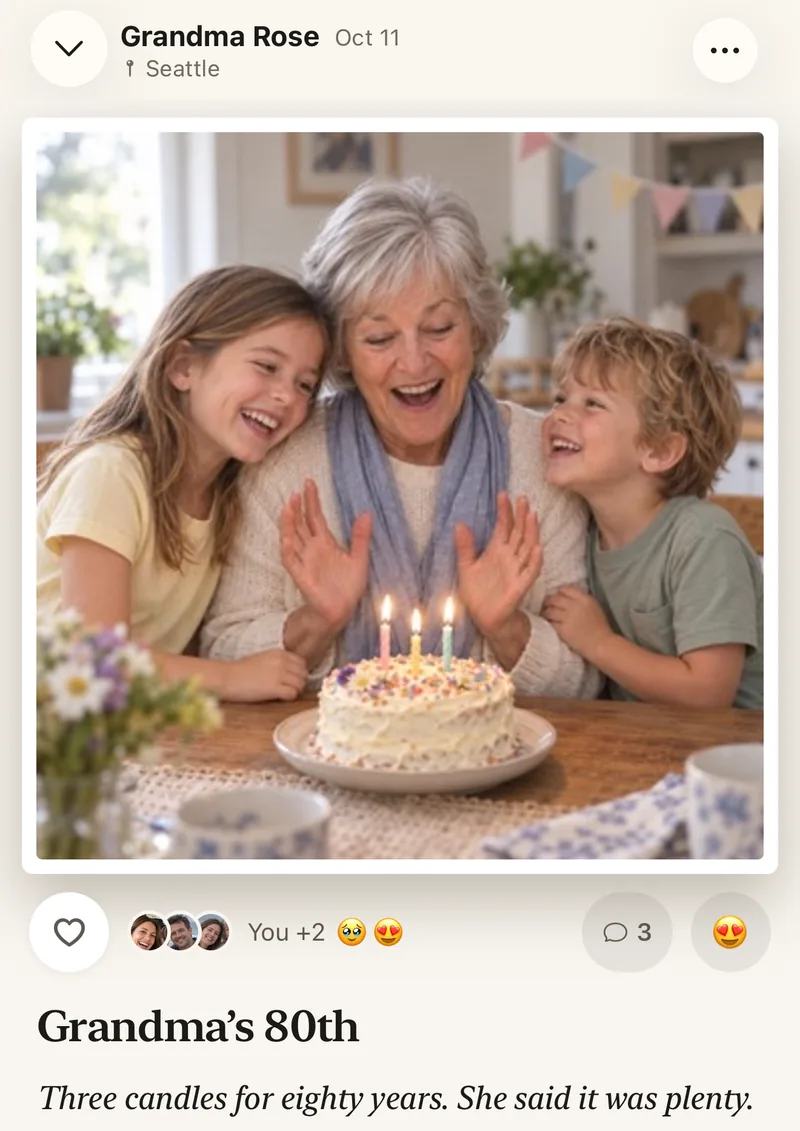
You can set it up for them
Send your parent an invite link, or sit with them and enter your 4-digit family code. Once they’re in, there is nothing to configure: new photos just appear.
If a phone is a struggle, they can open the same album in a browser on a tablet or computer, at app.lumomagic.com.
In their language
Lumo speaks English, Spanish, French, German, Italian, Portuguese, Japanese, Korean and Chinese, and follows the language their device uses.
Safe by default
Nothing to get wrong with privacy settings:
- Only the family can open the album
- No strangers, no public links, no ads
- No posting to the world by mistake
Getting your parents in
- Make your family albumGet Lumo free and name the album.
- Send them an inviteA private link by message, or your 4-digit code in person.
- Phone, tablet or browserThey open the invite on whatever they use, and they’re in.
Questions
What if my parent doesn’t have a smartphone?
A tablet or a computer works too. They can open their invite in a browser and see the family album at app.lumomagic.com, signed in.
Can they add photos too?
Yes. Everyone in the album can add photos and videos, from their phone, tablet or a computer.
Is Lumo really free?
Yes. The album, unlimited photos and videos, inviting family, hearts and comments are all free. Lumo Pass is optional, for unlimited magic, full-length videos and saving originals. Unlimited means unlimited for everyday family use, under fair use.
Who can see our photos?
Only the people in your family album. Nothing is public, there are no followers, and photos are never shown to anyone outside your family.
How does Lumo keep our photos safe?
Photos are encrypted in transit and at rest, and only signed-in members of your family album can open them. Invite links stop working after 30 days, a family code only asks to join, and you can turn the code off or remove someone at any time. There are no ads, and we don’t sell your data.
Does Lumo use AI on our photos?
Only when someone in your family asks. Lumo Magic runs when someone taps it on a photo: that one photo is sent to OpenAI or Google to make the new picture, which is saved next to the original. The rest of the album isn’t sent anywhere for AI, and the original stays exactly as it was. More in our privacy policy.
Start your family album.
Free. Private to your family. No ads, ever.