
Sharing kids’ photos
Is it safe to post photos of your kids?
Usually nothing bad happens, but once a photo is posted you no longer decide where it goes: anyone who can see it can save and reshare it, and deleting the post doesn’t delete the copies. Here is what to keep out of the frame, and a quieter way to share with family.
Lumo is a free, private family album for iPhone, iPad and Android. Send one link and the whole family can join.
Invited to a Lumo album? Open it in any web browser: app.lumomagic.com

What happens once a photo is posted
A posted photo can be saved, screenshotted and reshared by anyone who can see it, and a private account is only as private as the people who follow it. Deleting a post later doesn’t delete the copies.
Photos also add up. Years of posts can show a child’s face, name, school and neighborhood to people you’ve never met, and to the child themselves when they’re older.
Details to keep out of the frame
- School uniforms, name badges and the school gate
- Your house number, street sign or car number plate
- Full names and birthdays in the caption
- Location tags, and posting from a place while you’re still there
- Bath time, swimming and other photos they may not want shared later
Ask the people in the photo
As children get older, ask them before you share a photo of them. It’s a habit that matters more each year, and it teaches them that they get a say over their own pictures.
How to ask family not to postShare with family instead of posting
Most of the people who love seeing your kids’ photos are family. A private family album lets them see every photo without posting anything: no public profiles, no followers, no search and no ads.
For a single photo meant for one friend, Lumo can make a private link that opens for 45 minutes and then shows only a small preview, so a forwarded link doesn’t keep the photo on show.
Share kids’ photos without social media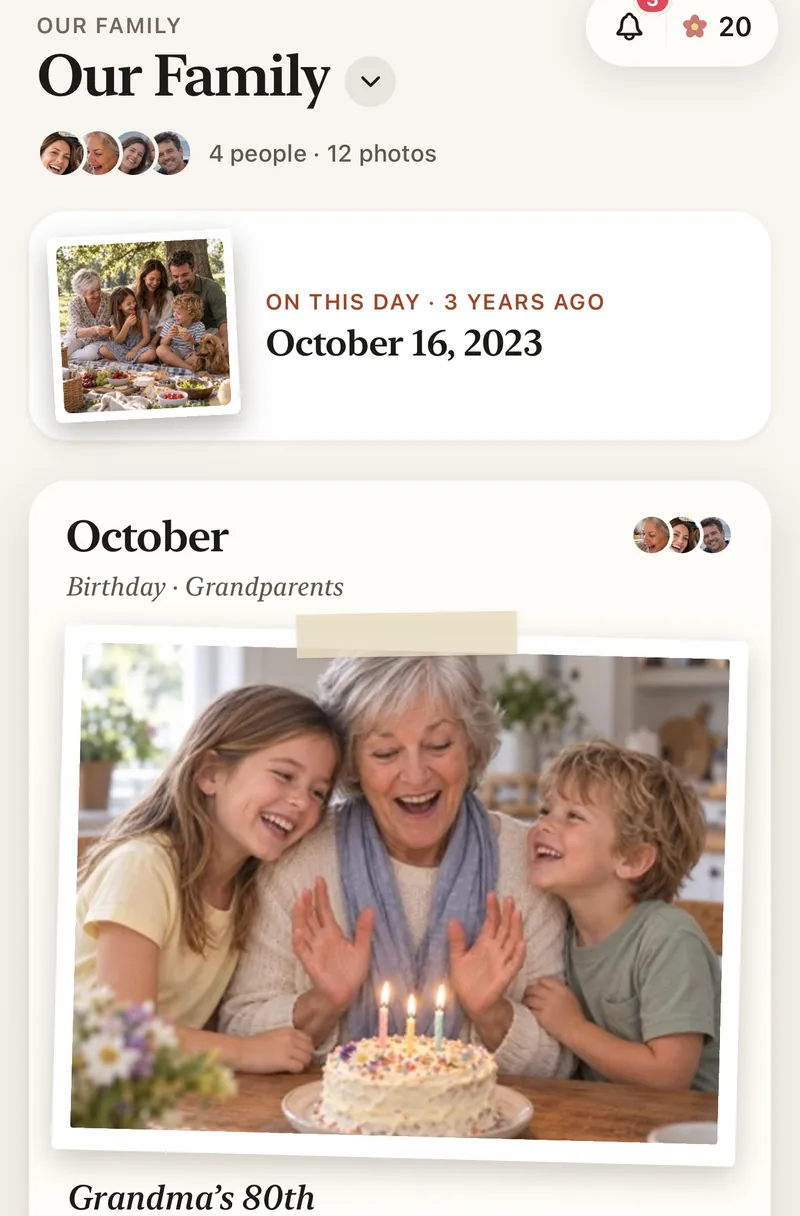
How to share kids’ photos privately
- Start a family albumFree, on iPhone, iPad or Android.
- Invite only familyWith a private link or a 4-digit family code.
- Add photos as they happenOnly the people you invited can see them.
- Close the doorWhen everyone is in, turn the family code off.
Questions
Is a private Instagram or Facebook account safe enough?
It helps, but anyone who follows you can still save or reshare a photo, and followers change over time. A private family album keeps photos with the people you invited, and nobody else.
Who can see our photos?
Only the people in your family album. Nothing is public, there are no followers, and photos are never shown to anyone outside your family.
How does Lumo keep our photos safe?
Photos are encrypted in transit and at rest, and only signed-in members of your family album can open them. Invite links stop working after 30 days, a family code only asks to join, and you can turn the code off or remove someone at any time. There are no ads, and we don’t sell your data.
Does Lumo use AI on our photos?
Only when someone in your family asks. Lumo Magic runs when someone taps it on a photo: that one photo is sent to OpenAI or Google to make the new picture, which is saved next to the original. The rest of the album isn’t sent anywhere for AI, and the original stays exactly as it was. More in our privacy policy.
Start your family album.
Free. Private to your family. No ads, ever.