
Troubleshooting
Can’t add photos to a shared album? Try these fixes.
You can see the album, but there’s no way to add your own photos. Usually it’s a setting the album’s owner controls. Here’s what to check in iCloud and Google Photos.
Free on iPhone, iPad and Android. Private to your family.
No app? Open your album in any web browser: app.lumomagic.com

iCloud shared album: no way to add
- Only the owner can post: the person who made the album opens it, taps the People button and turns on Subscribers Can Post.
- The album is full: older albums stop at 5,000 photos and videos, and newer ones when the owner’s iCloud storage runs out.
- Viewing on a public website: an album opened from a public link can be looked at, not added to. Join it in the Photos app, or on the web for albums made on iOS 27 or later.
- A long video in an older album: albums made before iOS 27 take videos up to 15 minutes.
Google Photos: the add button is missing
- Collaboration is off: the album’s owner opens its sharing options and turns on Collaborate.
- You opened a link without joining: tap Join, then add your photos.
- Another Google Account: switch to the account that joined the album.
- A supervised, school or work account: whoever manages the account may limit sharing.
An album everyone can add to
In a Lumo family album, everyone who’s in can add photos and videos, on iPhone, iPad and Android. There’s no setting for the owner to remember, and videos up to 3 GB are kept whole.
You still decide who’s in: people join with a private link or ask with your 4-digit family code, and you can remove someone at any time.
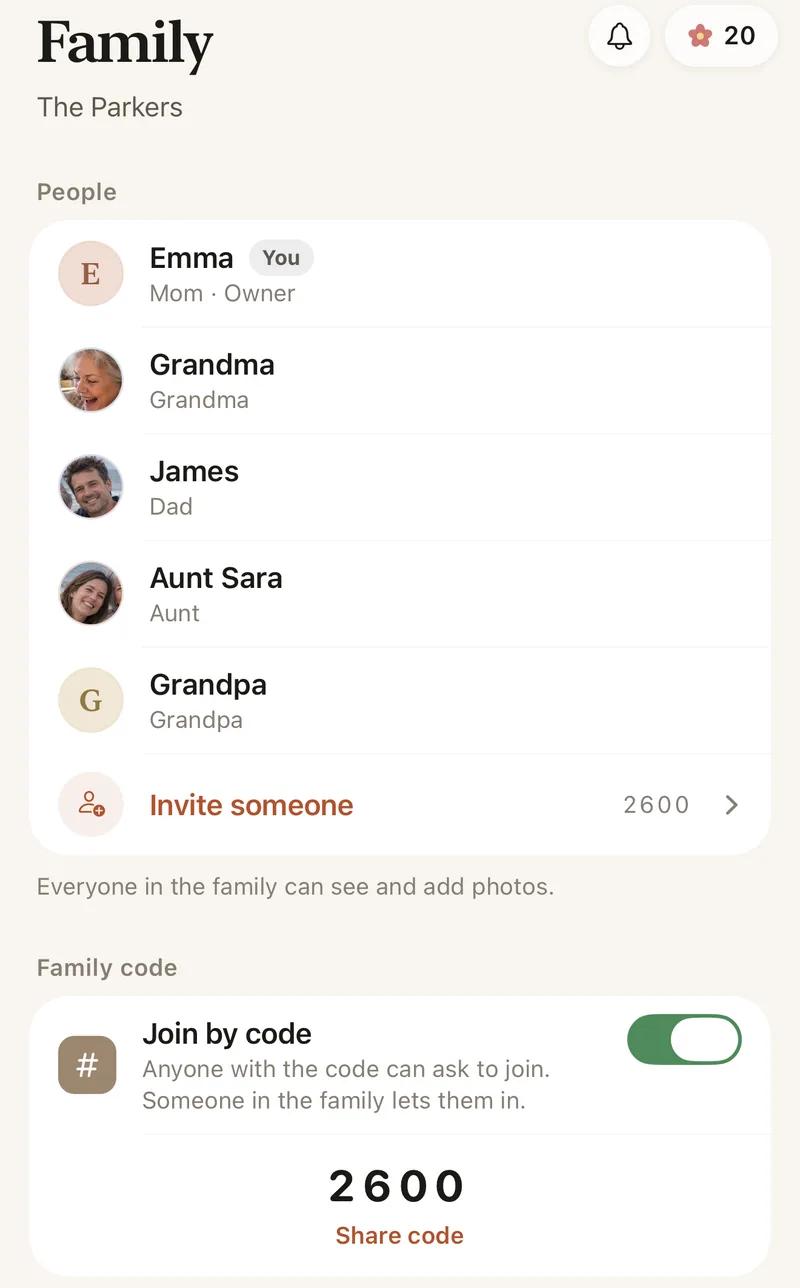
How to start an album everyone can add to
- Start a family albumFree, on iPhone, iPad or Android.
- Invite the familySend a private link, or share your 4-digit family code.
- Everyone taps AddPhotos and videos from any phone go into the same album.
- See them togetherSorted by the day they were taken, with hearts and comments.
Questions
Why can I see an iCloud shared album but not add to it?
The owner has turned off Subscribers Can Post, or you’re viewing it on a public website rather than as a member. Ask the owner to turn the setting on, or to invite your Apple Account.
Can people on Android add to the album?
In Lumo, yes: it works the same on iPhone, iPad and Android. iCloud shared albums made on iOS 27 or later can also be joined on the web.
How do grandparents join?
Send them a private invite link and they tap it, or give them your 4-digit family code. A code only asks to join; someone in the family lets them in.
How does Lumo keep our photos safe?
Photos are encrypted in transit and at rest, and only signed-in members of your family album can open them. Invite links stop working after 30 days, a family code only asks to join, and you can turn the code off or remove someone at any time. There are no ads, and we don’t sell your data.
Where do these steps come from?
From Apple’s and Google’s own help pages, checked in October 2026. Menus can move a little between app versions.
Start your family album.
Free. Private to your family. No ads, ever.