
Wedding photo QR code
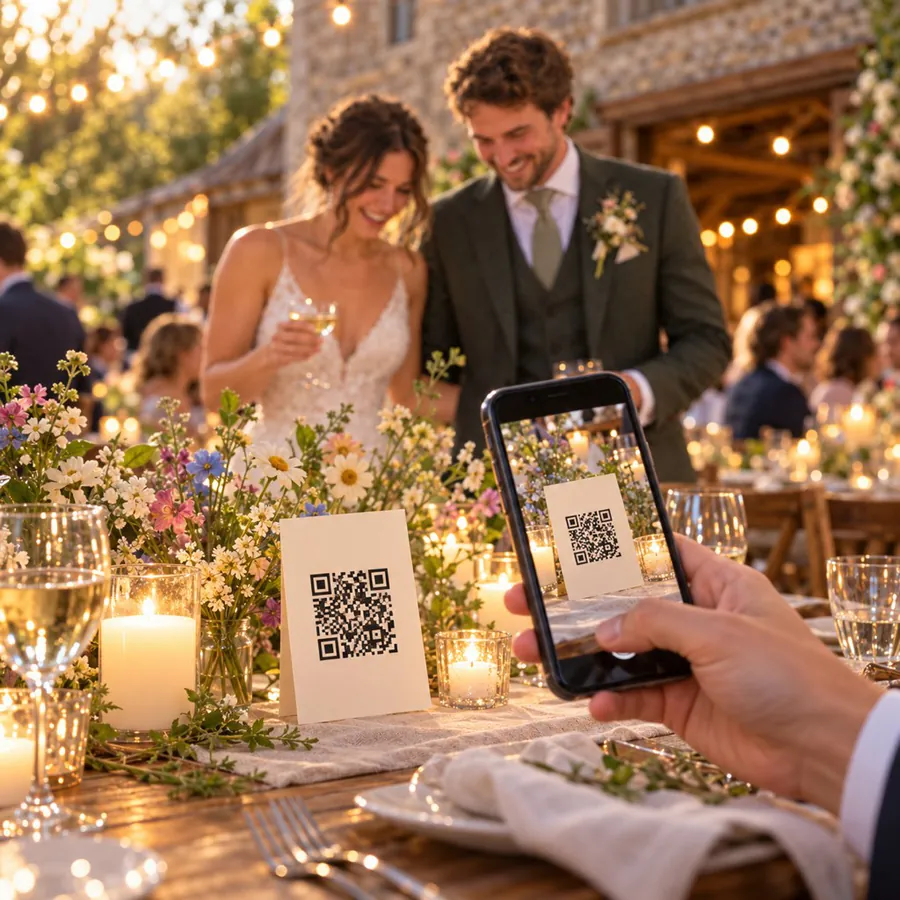
One QR code on every table.
Guests scan it, and their photos land in your album.
- Free
- Guests don’t need the app
- Full-quality photos and videos
- The album never expires
Step by step
How to set up a QR code for your wedding photos.
In Lumo, tap your family name at the top of the Family tab, then New event, and give it a name such as “Anna & Ben’s wedding”. Tap Create event, then Show a QR code.
- 1
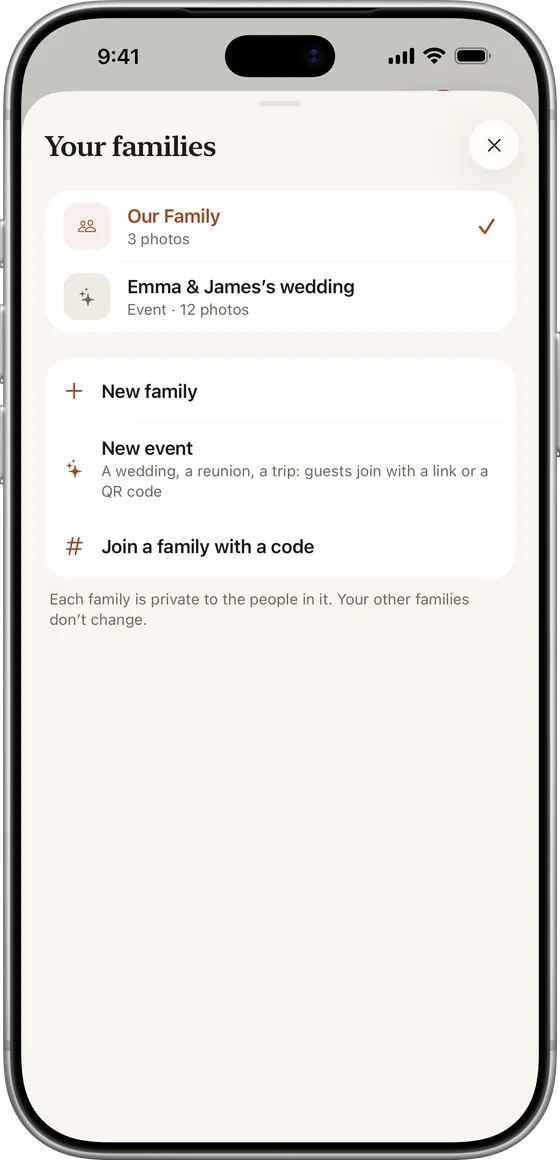
Make an event
Tap your family name, then New event.
- 2
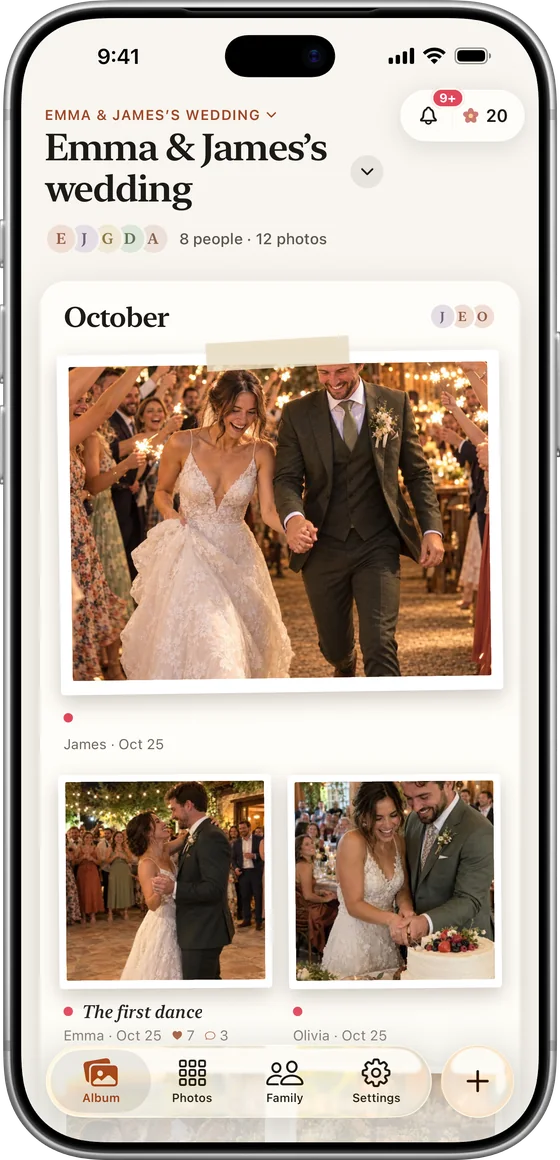
Name it
For example “Anna & Ben’s wedding”, then Create event.
- 3
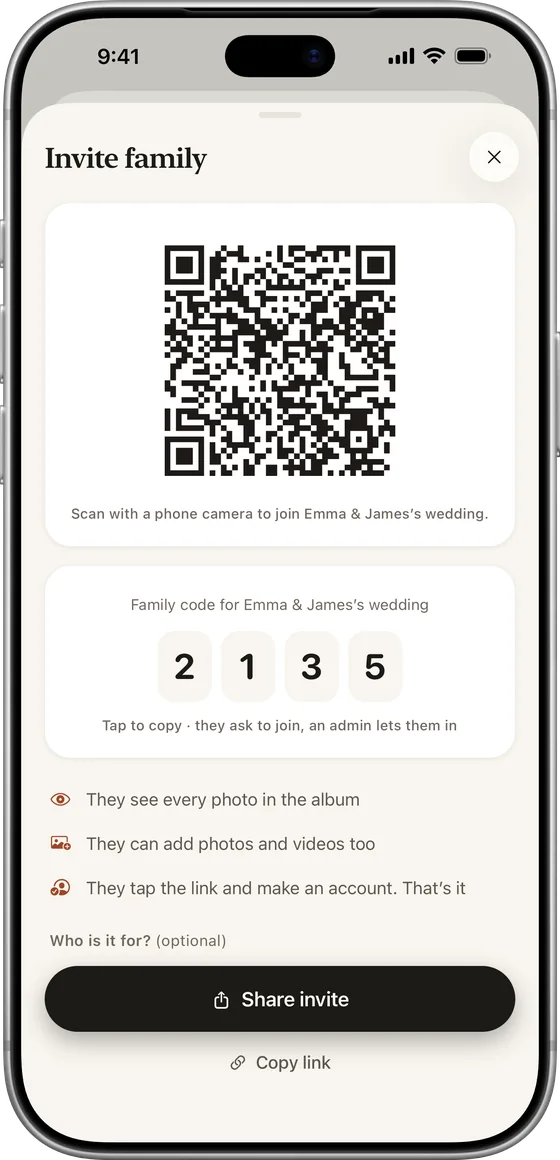
Show the QR code
On the invite screen, tap Show a QR code.
- 4
Print or show it
On table cards, a sign or a screen.
Take a screenshot to print it, or put it on a screen at the reception. Scanning it opens the invite for your event.
On the day
Where to put it
- A small card on every table
- The welcome sign at the entrance
- The program or order of service
- The screen at the reception, between speeches
- Your thank-you message, for guests who forgot on the day
On the card
What to write next to it
Keep it short and say where the photos go, for example: “Scan to add your photos and videos to our wedding album. It’s private to our guests.”
- Say where the photos go: one album for the wedding
- Say who sees them: only your guests
- Keep it short: guests read it with a drink in hand

Timing
Make it close to the day
Invite links and their QR codes stop working after 30 days, so make the code within a month of the wedding. If you printed one earlier, make a new code and print that instead.
- You make the codeWithin a month of the wedding
- The weddingGuests scan and join
- 30 days laterThe code stops working
Make a new code any time. The album and every photo in it stay.
For your guests
Scan, join, add photos.
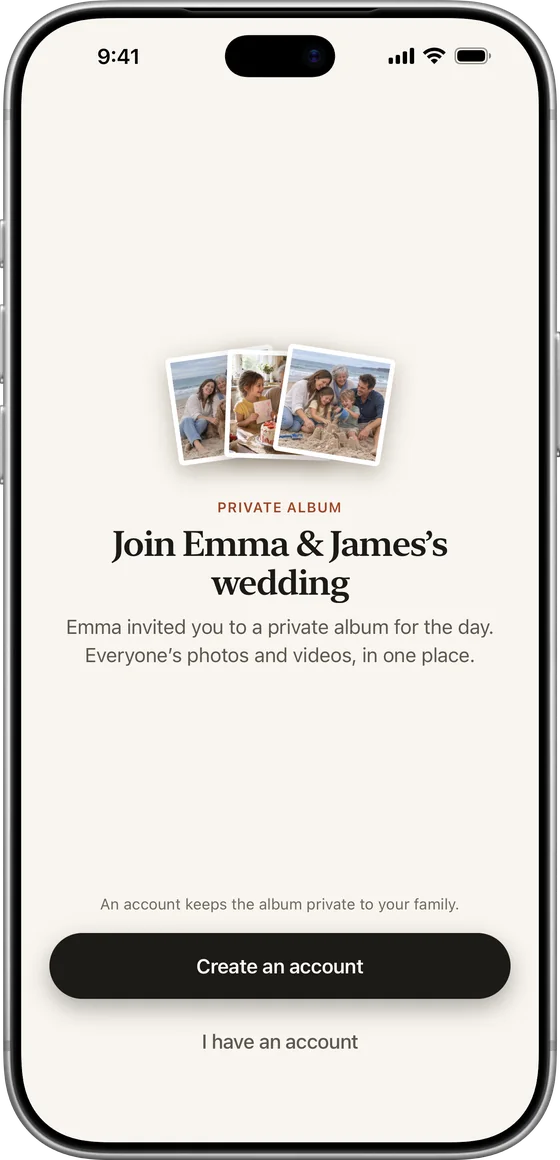
The code opens the invite to your wedding album. Guests join in the free app, or tap Continue in your browser and add photos at app.lumomagic.com.
- No app needed: the browser works
- Sign in with Apple, Google or email
- Photos and videos in full quality
Private
Keep it private
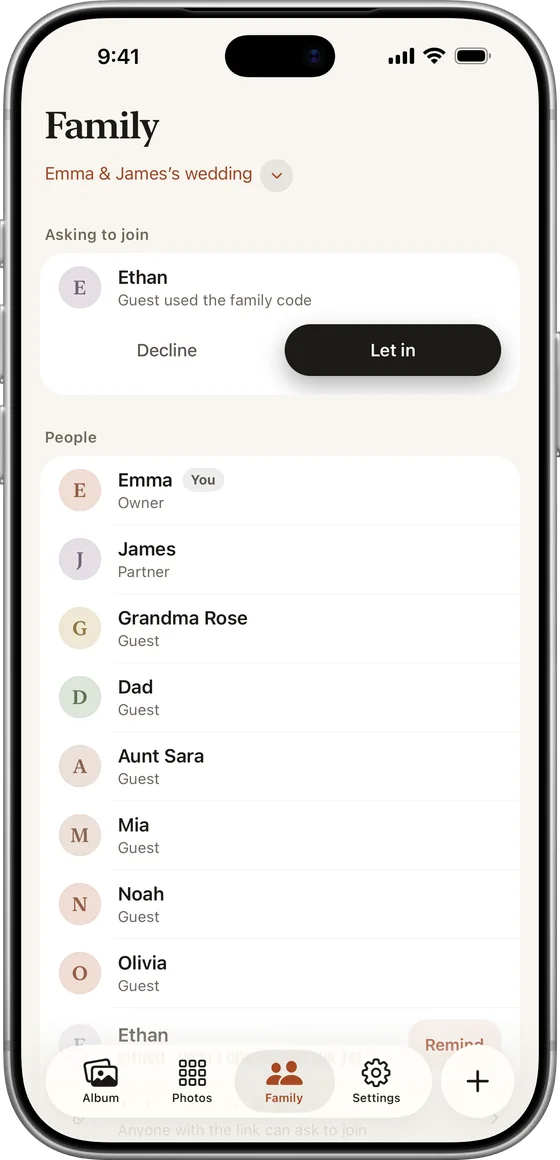
Turn on “Only admins can let people in” so that scanning the code sends a request you accept. After the wedding, turn the link off in the Family tab so nobody new can join. The album and everything in it stays.
- Approve each guest, or let the code bring everyone in
- Turn the link off after the wedding
- One QR code for up to 500 guests
Questions
Before you print
Does the QR code expire?
Yes, after 30 days, like every Lumo invite link. Make it within a month of the wedding, and make a new one if it runs out.
Do guests need the app?
No. Scanning the code opens the invite, where guests can choose “Continue in your browser” and join at app.lumomagic.com, or get the free app.
Can I stop people joining after the wedding?
Yes. Turn the link off in the Family tab. Everyone already in the album keeps it, and nobody new can join with that code.
How are the photos kept safe?
Photos are encrypted in transit and at rest, and only people in the wedding album can open them. Invite links stop working after 30 days, and you can turn a link off or remove someone at any time. There are no ads, and we don’t sell your data.
Is Lumo really free?
Yes. The album, unlimited photos and videos, inviting family, hearts and comments are all free. Lumo Pass is optional, for unlimited magic, full-length videos and saving originals. Unlimited means unlimited for everyday family use, under fair use.



Make your wedding QR code.
A QR code on every table is the easiest way to collect your guests’ photos. Here’s how to make one in Lumo, where to put it, and what to write next to it.