
Privacy
A family photo app without face recognition.
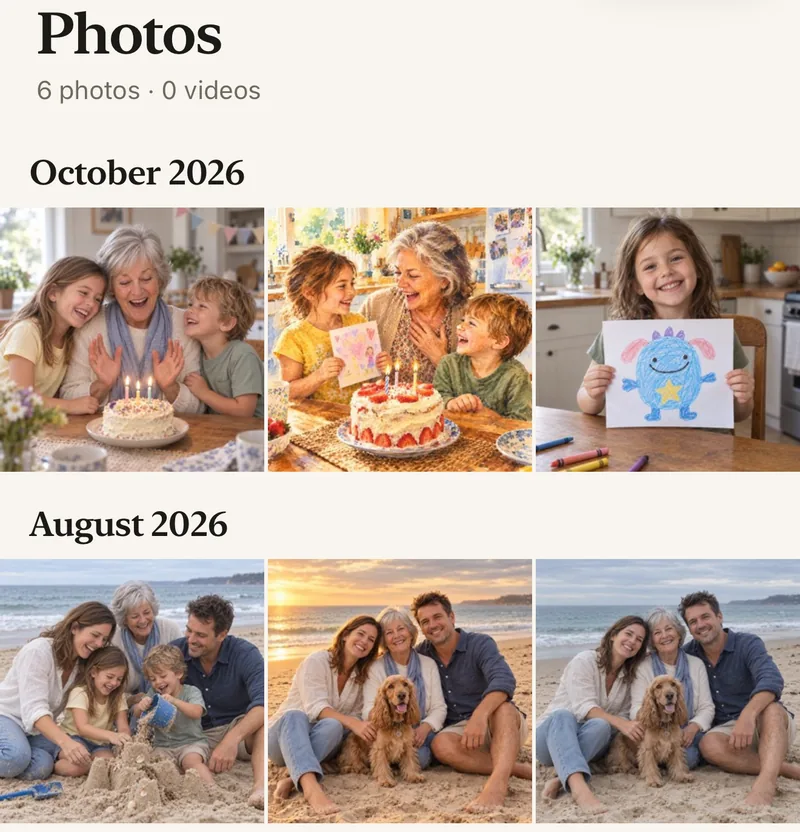
Lumo doesn’t look for faces. There is no face detection, no face grouping and no people albums: photos stay in one family album, sorted by the date they were taken. Here is how face recognition works in the apps you may use now, and what Lumo does with your photos.
Last updated
Lumo is a free, private family album for iPhone, iPad and Android. Send one link and the whole family can join.
Invited to a Lumo album? Open it in any web browser: app.lumomagic.com

Face recognition in Google Photos and on iPhone
Google Photos groups similar faces so you can find photos by person. The setting is called Face Groups, and turning it off deletes your face groups and the face models made from them.
On iPhone, the Photos app recognizes people and pets on the device to build its People & Pets collection.
Lumo doesn’t look for faces
Nothing in Lumo detects, groups or recognizes faces, in the app or on our servers. There are no people albums and no face search. Photos are sorted by the date they were taken, and the family adds titles, comments and hearts themselves.
Who sees the photos
Only the people in your family album. Nothing is public, there are no followers, and only signed-in members of the album can open its photos. The way we measure app use never includes your photos.
Magic, only when someone asks
Lumo has magic: turning a photo into a coloring page, a card or a restored old photo. It runs only on the photo someone chooses and taps, never on the whole album. To make it, that one photo is sent to OpenAI or Google, as our privacy policy explains.
An album admin can turn magic off for the whole family, in Family → Album rules.
Read the privacy policyHow to share photos without face scanning
- Start a family albumFree, on iPhone, iPad or Android.
- Add your photosLumo sorts them by the date taken.
- Invite the familyOnly they can see the album.
Questions
Does Lumo use face recognition?
No. Lumo doesn’t detect, group or recognize faces, and has no face search.
Does Lumo send my photos to AI?
Only when someone in your family makes magic on a photo: that one photo goes to OpenAI or Google to create the new version. An album admin can turn magic off in Family → Album rules.
Can I turn off face grouping in Google Photos?
Yes. Face Groups has its own switch in Google Photos settings. Turning it off deletes the face groups in your account.
Who can see our photos?
Only the people in your family album. Nothing is public, there are no followers, and photos are never shown to anyone outside your family.
Is Lumo really free?
Yes. The album, unlimited photos and videos, inviting family, hearts and comments are all free. Lumo Pass is optional, for unlimited magic, full-length videos and saving originals. Unlimited means unlimited for everyday family use, under fair use.
Start your family album.
Free. Private to your family. No ads, ever.