
For new parents
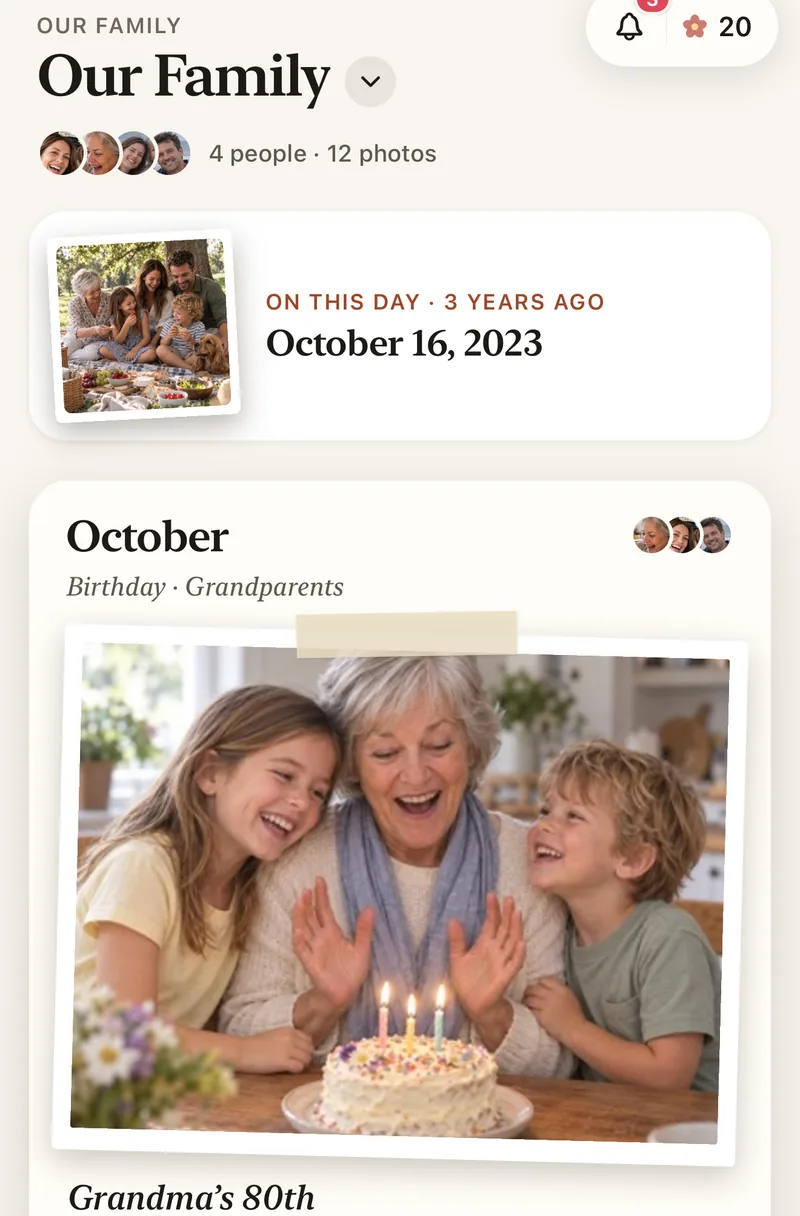
A private place for every baby photo.
You’ll take more photos this year than ever. Lumo keeps them in one private family album, where the grandparents see every new one, and nobody else does.
Free on iPhone, iPad and Android. Private to your family.
No app? Open your album in any web browser: app.lumomagic.com

One album, not a hundred messages
Instead of sending the same photo to five chats, add it once. Everyone you invite sees it in the album, sorted by month, with hearts and comments under each photo.
Both parents can add from their own phones, so nothing waits on whoever took the picture.
Grandparents see it as it happens
Family get a notification when you add photos, at most once an hour, so a busy day doesn’t become a flood. They can heart a photo, leave a comment, or just look.
Grandparents who don’t use apps can open their invite in a browser and see the album there.
Not on social media
Your baby’s photos stay with the people you choose:
- No public profiles, followers or search
- Only people you invite can open the album
- No ads, and we don’t sell your data
Full quality, and videos kept whole
Lumo keeps the original of every photo and video, up to 3 GB each, so the first laugh doesn’t arrive squeezed the way chat apps send it.
Storage is free and unlimited for everyday family use. Lumo Pass, which covers the whole family, adds full-length videos and saving originals.
Set up your baby’s album in a minute
- Get Lumo and name your albumFree on iPhone, iPad and Android.
- Add your first photosFrom your library or the camera, as many as you like.
- Invite the grandparentsSend a private link, or share your 4-digit family code.
Questions
Is Lumo really free?
Yes. The album, unlimited photos and videos, inviting family, hearts and comments are all free. Lumo Pass is optional, for unlimited magic, full-length videos and saving originals. Unlimited means unlimited for everyday family use, under fair use.
Who can see our photos?
Only the people in your family album. Nothing is public, there are no followers, and photos are never shown to anyone outside your family.
Can both parents add photos?
Yes. Everyone in the family album can add photos and videos from their own phone, and everyone sees them in one place.
Does everyone need to install the app?
No. People can open their invite and choose “Continue in your browser” to join at app.lumomagic.com, signed in with Apple, Google or email. The free app adds notifications and Magic.
How does Lumo keep our photos safe?
Photos are encrypted in transit and at rest, and only signed-in members of your family album can open them. Invite links stop working after 30 days, a family code only asks to join, and you can turn the code off or remove someone at any time. There are no ads, and we don’t sell your data.
Does Lumo use AI on our photos?
Only when someone in your family asks. Lumo Magic runs when someone taps it on a photo: that one photo is sent to OpenAI or Google to make the new picture, which is saved next to the original. The rest of the album isn’t sent anywhere for AI, and the original stays exactly as it was. More in our privacy policy.
Start your family album.
Free. Private to your family. No ads, ever.