
Organizing family photos
Organize the family’s photos once, then let them sort themselves.
Most families don’t have a photo problem, they have a where-is-it problem: photos on five phones, in chats and in a shoebox. Here’s a simple system that keeps working without anyone in charge of it.
Free on iPhone, iPad and Android. Private to your family.
No app? Open your album in any web browser: app.lumomagic.com

Step 1: one place for everyone
Pick one album the whole family adds to, so photos don’t depend on whose phone they’re on. In Lumo, everyone adds from their own phone, and photos already in the album are skipped, so nothing appears twice.
Step 2: let the date do the sorting
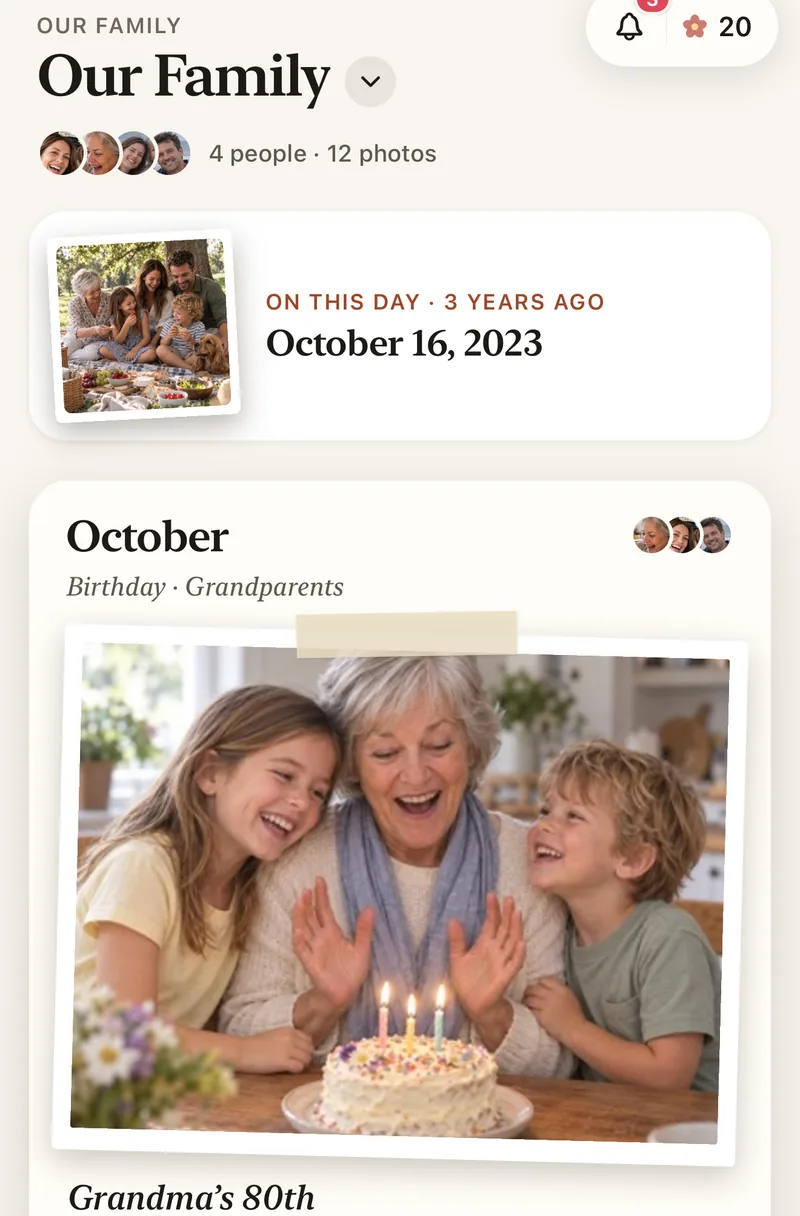
Lumo sorts every photo by the day it was taken and groups them by month. Scrub through the years by date, and On This Day brings back photos from the same day in years past.
If a photo has the wrong date, such as a scanned print or one sent through a chat, you can change it.
Step 3: small albums for what matters
Make albums inside the family album for a new baby, each child, trips, a pet, or one side of the family. Their photos stay in the family album as well, so nothing gets filed away and forgotten.
Add tags such as Birthday or Grandparents to a photo, so it’s easy to find again.

Step 4: bring in the old prints
Photograph old prints with your phone, add them to the album, and set the year they were taken. Faded or scratched ones can be restored with Lumo Magic in one tap, and the photo of the print is kept as it was.
Restore old family photosOrganized, and still private
Only the family you invite can see the album. There are no ads, photos are encrypted in transit and at rest, and AI runs only when someone taps Magic on a photo.
How to organize family photos with Lumo
- Start a family albumFree, on iPhone, iPad or Android.
- Invite the familyEveryone adds photos from their own phone.
- Let Lumo sort by dateEvery photo lands on the day it was taken.
- Add albums and tagsFor each child, trip or side of the family.
Questions
Do I have to sort photos by hand?
No. Lumo sorts photos by the date they were taken. Albums and tags are optional, for the things you want to find quickly.
Can I change a photo’s date?
Yes. Open the photo and edit its date, which helps with scanned prints and photos sent through chats.
Is Lumo really free?
Yes. The album, unlimited photos and videos, inviting family, hearts and comments are all free. Lumo Pass is optional, for unlimited magic, full-length videos and saving originals. Unlimited means unlimited for everyday family use, under fair use.
How does Lumo keep our photos safe?
Photos are encrypted in transit and at rest, and only signed-in members of your family album can open them. Invite links stop working after 30 days, a family code only asks to join, and you can turn the code off or remove someone at any time. There are no ads, and we don’t sell your data.
Does Lumo use AI on our photos?
Only when someone in your family asks. Lumo Magic runs when someone taps it on a photo: that one photo is sent to OpenAI or Google to make the new picture, which is saved next to the original. The rest of the album isn’t sent anywhere for AI, and the original stays exactly as it was. More in our privacy policy.
Start your family album.
Free. Private to your family. No ads, ever.