
Wedding websites
Do wedding websites expire?
- Free
- Guests don’t need the app
- Full-quality photos and videos
- The album never expires
Short answer: some do, and it depends on the service. Zola says its wedding websites never expire while they’re set to visible. The Knot keeps a site live for one year after the wedding date. Some Korean mobile invitations and many Japanese guest photo services end between two weeks and a few months after the wedding. If what you want to keep is your guests’ photos, put them where there’s no end date: a free Lumo event album, which guests add to by QR code or link, and which is kept.
Lumo is a free, private family album for iPhone, iPad and Android. Send one link and the whole family can join.
Invited to a Lumo album? Open it in any web browser: app.lumomagic.com

How long each service keeps the site and its photos
Here is what each service says on its own pages about how long a wedding website, an online invitation or the photos on it stay online. Rules change, so check with the service before you rely on a date.
| What its own pages say | |
|---|---|
| The Knot (US) | The website is live for one year after the wedding date, and you can turn it off sooner. With a custom domain bought through The Knot, it stays live for the domain’s registration, one or two years. Source: The Knot’s domain FAQ |
| Zola (US) | “Your account, website, and registry will never expire”, as long as the pages are set to Visible in Account Settings. Source: Zola’s FAQ, “How long is my account live for?” |
| Joy (US) | Its help center gives no end date. Deleting the wedding removes the event, its photos and guest access; you can hide the website instead. Source: Joy’s help center, “Delete your wedding or user account” |
| Minted (US) | We couldn’t find an end date on Minted’s public pages. Ask Minted before you rely on one |
| 프리레터 (Korea, mobile invitations) | Once the watermark is removed, an invitation can be used until 30 days after the wedding and is then deleted automatically. A lifetime option keeps it. Source: the service’s own page, directwedcard.com |
| 웨딩북 (Korea, mobile invitations) | Says its mobile invitations can be kept for life. Source: 웨딩북’s App Store listing |
| Guest photo sharing services (Japan) | Many keep photos for a set period from the wedding, such as 14 days, 90 days or 3 months, and some can be extended. Source: a comparison of 14 services by noalulu, one of them, updated 23 October 2026 |
| Lumo event album | The album never expires. Invite links stop working after 30 days, which only stops new people joining |
Checked on 5 November 2026 against each service’s own public pages, except the Japanese row, which comes from a published comparison. Lumo isn’t affiliated with any of these services. If something has changed, write to contact@doola.ai and we’ll fix it.
The details are for a few weeks, the photos are for years
The venue, the schedule and the dress code on a wedding website are needed for a few weeks. The photos your guests took are what you’ll want to look at years later.
If those photos only live on a site or a service with an end date, save them before it ends, or collect them somewhere that keeps them from the start.
How to keep the photos for good
Make a free event album in Lumo for the wedding. Guests scan its QR code or open its link and add their photos and videos, in their browser at app.lumomagic.com or in the free app, with nothing to install. Everything lands in one private album, in full quality.
The album is kept: it never expires, and it sits next to your own family album in the app, so you and your guests can come back to it any time. Put the same link on your wedding website, with a line such as “Add your photos here”.
Already used a service with a deadline? Save the photos to your phone before it ends and add them to the event album. Lumo skips photos that are already in the album.
How the wedding album works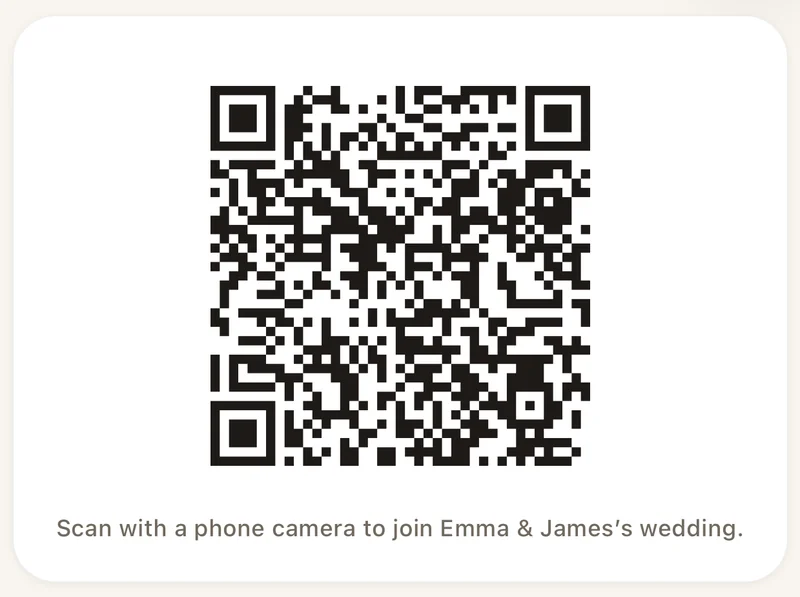
Coming soon: a Lumo wedding page
A simple wedding page in Lumo is coming soon: the day’s details and the QR code before the wedding, and your guests’ album after it. The event album works today.
Keeping your wedding photos in Lumo
- Make an eventIn Lumo, open the Family tab, tap your family name at the top, then New event.
- Share the QR code or linkInvite, then Show a QR code or Copy link. Put it on the tables or your wedding website.
- Guests add their photosIn the app or in their browser. Everything lands in one album that never expires.
Questions
Do wedding websites expire?
Some do. The Knot keeps a wedding website live for one year after the wedding date, and some Korean mobile invitations and Japanese guest photo services end between two weeks and a few months after the wedding. Zola says its sites never expire while they’re set to visible. Check your own service’s help pages.
How long does Lumo keep the photos?
There’s no limit. The event album never expires. Invite links stop working after 30 days, but that only stops new people joining.
Do guests need to install an app?
No. Guests can scan the code or open the link and choose “Continue in your browser” to join at app.lumomagic.com, signed in with Apple, Google or email. The free app for iPhone, iPad and Android works too.
Is it free?
Yes. Event albums are free: unlimited photos and videos for everyone you let in, in the app or in a browser at app.lumomagic.com.
Does Lumo make wedding websites?
A simple Lumo wedding page is coming soon. Today, the free event album collects and keeps your guests’ photos, and you can link to it from any wedding website.
Where do these facts come from?
From each service’s own public pages, checked on 5 November 2026, and for the Japanese services, a comparison published in October 2026. Conditions change, so check the service’s own pages before you rely on a date. If something is out of date, write to contact@doola.ai.
Start your family album.
Free. Private to your family. No ads, ever.