
An iPad or tablet for your parents
Set up an iPad or tablet so your parents see the family’s new photos.
Sign the tablet in with your parent’s own Apple or Google account, not yours. Install a private family album, join it with the family’s link or 4-digit code, and turn on notifications. New photos from the whole family then come to the tablet, and your parents can answer with a heart or a comment.
Last updated
Lumo is a free, private family album for iPhone, iPad and Android. Send one link and the whole family can join.
Invited to a Lumo album? Open it in any web browser: app.lumomagic.com

First: whose account goes on the tablet
Sign the iPad in with your parent’s own Apple Account, or the Android tablet with their own Google account. Never use yours, even to save time. With your account on their tablet, your own photos, messages and apps start showing up on it, and anything they delete can disappear from your phone too. It’s a common mix-up when families share an iPad.
If your parent doesn’t have an account yet, make one for them during setup, with their own email address, and write the password down somewhere they keep important papers.
Giving them your old iPad? Sign out of your account and erase it first, then set it up again as new, in their name. Apple explains how in what to do before you give away your iPad.
The settings that make it easier to use
A few of the tablet’s own settings make a big difference. On an iPad they’re all in Settings, and Apple’s guide to changing the font size covers Bold Text and more:
- Larger text: Settings, Display & Brightness, Text Size.
- A longer screen timeout: Settings, Display & Brightness, Auto-Lock, so the screen doesn’t go dark while they’re looking at a photo.
- Fewer apps on the first screen: move the ones they won’t use to a second page, and put the photo album where their thumb lands.
- A place to live: a stand on the kitchen table or beside their chair, near a charger, so it’s always ready.
Getting the family’s new photos onto it
There are three common ways, and they suit different families:
- iCloud Family Sharing: Apple makes a Family shared album in Photos. It only works when everyone has an iPhone or iPad, and a slideshow started from it has to be restarted before new photos show up.
- A photo frame app: it turns the tablet into a slideshow, but it goes one way, and someone has to keep feeding it photos.
- A private family album app: everyone adds photos from their own phone, iPhone or Android, and your parents can answer back.
Setting up Lumo on the tablet
Lumo is a free, private family album for iPad and Android tablets. With the tablet in your parent’s hands:
- Install Lumo from the App Store on an iPad, or from Google Play on an Android tablet such as a Galaxy Tab.
- Tap Continue with Apple on the iPad, or Continue with Google on Android, so it uses the account you just set up. There’s no new password.
- Open your invite link on the tablet, or tap Enter a family code and type your 4 digits; someone in the family lets them in.
- Allow notifications when Lumo asks, so they know when the family adds new photos.
Android tablets, or just the browser
On an Android tablet, such as a Samsung Galaxy Tab, get Lumo from Google Play and sign in with the tablet’s Google account. Everything works the same as on an iPad.
Any tablet with a web browser can also open the album at app.lumomagic.com, signing in with Apple, Google or email. That suits a parent who’d rather not install anything.
What they see on the big screen
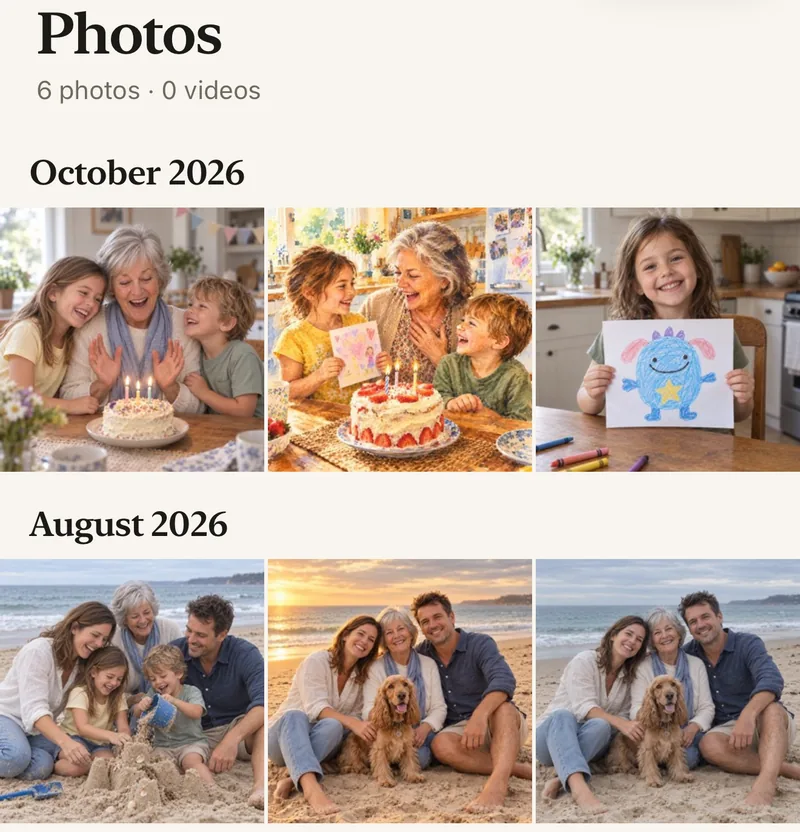
Every photo and video the family adds, newest first, large and clear, with the name of whoever added it. New photos come with a notification, at most once an hour, and are waiting in the album when they open Lumo. It doesn’t play as a slideshow; they look through the photos themselves.
They answer with a heart or a comment, and the family sees it beside the photo. There’s no feed, no ads and no strangers, and they can add their own photos from the tablet too.
A photo app for older parents
Giving the tablet as a present
Fill the album before the day. Start it on your own phone, invite your brothers and sisters, and ask everyone to add their favorite photos from this year. Then set up the tablet in advance, so when it’s unwrapped there are photos already waiting.
A printed card in the box tells them what it’s for, and has the family code on it for later.
A free printable card to give with the albumIf they get logged out or change tablets
Install Lumo on the new tablet, sign in with the same Apple or Google account, and they’re back in the family album with every photo. If they’re ever stuck, give them the 4-digit family code again: they type it in, and anyone in the family can let them in.
Photo sharing for families far apartHow to set up a tablet for your parents
- Sign in with their own accountTheir Apple Account on an iPad, their Google account on Android.
- Make it easy to useLarger text, a longer Auto-Lock, a stand near a charger.
- Install Lumo and join the familyWith your invite link or your 4-digit family code.
- Turn on notificationsNew photos from the family come to the tablet from then on.
Questions
Should I use my Apple ID on my parents’ iPad?
No. Use their own Apple Account. With yours, your photos, messages and apps appear on their iPad, and changes they make can reach your phone. If they don’t have one, make it for them during setup.
Does the album update on its own?
New photos arrive with a notification, at most once an hour, and are in the album when they open Lumo. There’s no slideshow mode: they open the app to see the new photos.
Does it work on an Android tablet?
Yes. Lumo is on Google Play for Android phones and tablets, such as a Galaxy Tab. Any tablet can also open the album in its browser at app.lumomagic.com.
Do they need a smartphone too?
No. The tablet is enough. If they have a phone as well, they can sign in on both with the same account.
Can they add photos from the tablet?
Yes. They can add photos and videos from the tablet, including photos of old family prints, and the whole family sees them.
Will it show ads or posts from strangers?
No. Lumo has no feed, no followers and no ads. They see only the photos the family adds to your album.
Is Lumo really free?
Yes. The album, unlimited photos and videos, inviting family, hearts and comments are all free. Lumo Pass is optional, for unlimited magic, full-length videos and saving originals. Unlimited means unlimited for everyday family use, under fair use.
Start your family album.
Free. Private to your family. No ads, ever.