
Digital photo frames
Show your family album on a photo frame.
To show photos from your Lumo family album on a digital photo frame, save the photos you want from Lumo to your phone, then send them to the frame the way its maker intends: with the Frameo, Nixplay, Skylight or Aura app, or by email to the frame’s own address. Lumo doesn’t sync with frames automatically, so you pick each photo yourself. It takes a minute, and it works with the frame you already have.
Lumo is a free, private family album for iPhone, iPad and Android. Send one link and the whole family can join.
Invited to a Lumo album? Open it in any web browser: app.lumomagic.com

What works today, and what doesn’t
Lumo has no automatic connection to any photo frame. New photos in the album don’t appear on a frame by themselves, and Lumo can’t send photos to a frame’s email address for you.
What works is the way frames already take photos from a phone: you save a photo from Lumo, then add it with the frame’s app or send it by email. The frame becomes a hand-picked selection, the best photos of the month on the shelf, while the whole album, with hearts and comments, stays in Lumo.
Step one: save the photo from Lumo
Open a photo in the album, tap the menu and choose Save to device. It goes to your phone’s photos, where every frame app can find it. Photos are saved one at a time.
On the free plan, Lumo saves a JPEG copy up to 2048 pixels on its longer side. With Lumo Pass, the menu says Save original to device and saves the photo exactly as it was shot.
You can also skip saving: tap Share, then Send photo file, and choose the frame’s app or your email app in your phone’s share menu. If you don’t see these options, an album admin has turned off Family can save photos in the Family tab.
Frameo
Frameo frames get photos from the Frameo app on a phone connected to the frame. Open the Frameo app, pick the photo you saved, tap Next, choose the frame, add a caption if you like, and tap Send photo.
Frameo’s app also appears in the phone’s share menu, so you can send from Lumo with Send photo file and then finish in Frameo. Frameo says you can share up to 10 photos at once this way. Sources: Frameo’s How to send photos from smartphone to frame and How to share photos from third-party apps, checked 6 November 2026.
Nixplay
Each Nixplay account has its own @mynixplay.com email address. Attach the saved photos to an email as files, not pasted into the message, and send it to that address. Nixplay asks for JPG or PNG files of 50 KB to 12 MB each, under 25 MB per email. The photos arrive in the Emailed Photos album, which needs to be turned on for the frame.
Or use the Nixplay app: open Albums, choose an album that’s shown on the frame, tap + and pick the photos from your camera roll. Sources: Nixplay’s How can I email photos to a Nixplay frame? and How to add photos using Nixplay Mobile app?, checked 6 November 2026.
Skylight
Every Skylight frame has its own email address. Attach the saved photos to an email and send it to that address; Skylight says they appear on the frame in under a minute. Or open the Skylight app, tap Add, choose Pick from gallery, select the photos and tap Send all. Both work without a Frame Plus subscription.
Sources: Skylight’s How do I email photos to Skylight?, How do I send photos or videos from the mobile app? and Frame Plus, checked 6 November 2026.
Aura
In the Aura app, tap the three lines at the top left, choose the frame and tap Add Photos. Pick the photos you saved from Camera Roll on iPhone or Photos on Android, then tap the yellow Add button.
Aura can also add a whole album from your phone and keep adding to it with Auto-Add. If you put the photos you save from Lumo into one album on your phone, new ones you add there can reach the frame without opening the Aura app again. Sources: Aura’s Adding photos & videos to a frame and How do I add & remove albums on my frame?, checked 6 November 2026.
The みてね (FamilyAlbum) frame
The photo frame from みてね, sold in Japan, is linked to a みてね account and shows the photos and videos in that account’s albums. Its help pages don’t describe adding photos from other apps, so Lumo photos would need to be added to that みてね album first. Source: みてね’s frame setup help (in Japanese), checked 6 November 2026.
Before a family photo goes on a frame
A photo on a frame has left the private album. Anyone in that room can see it, and anyone who has the frame’s email address or app connection can send photos to it. Keep the frame’s address within the family, and if a photo shows someone else, ask them before it goes on a frame in another home.
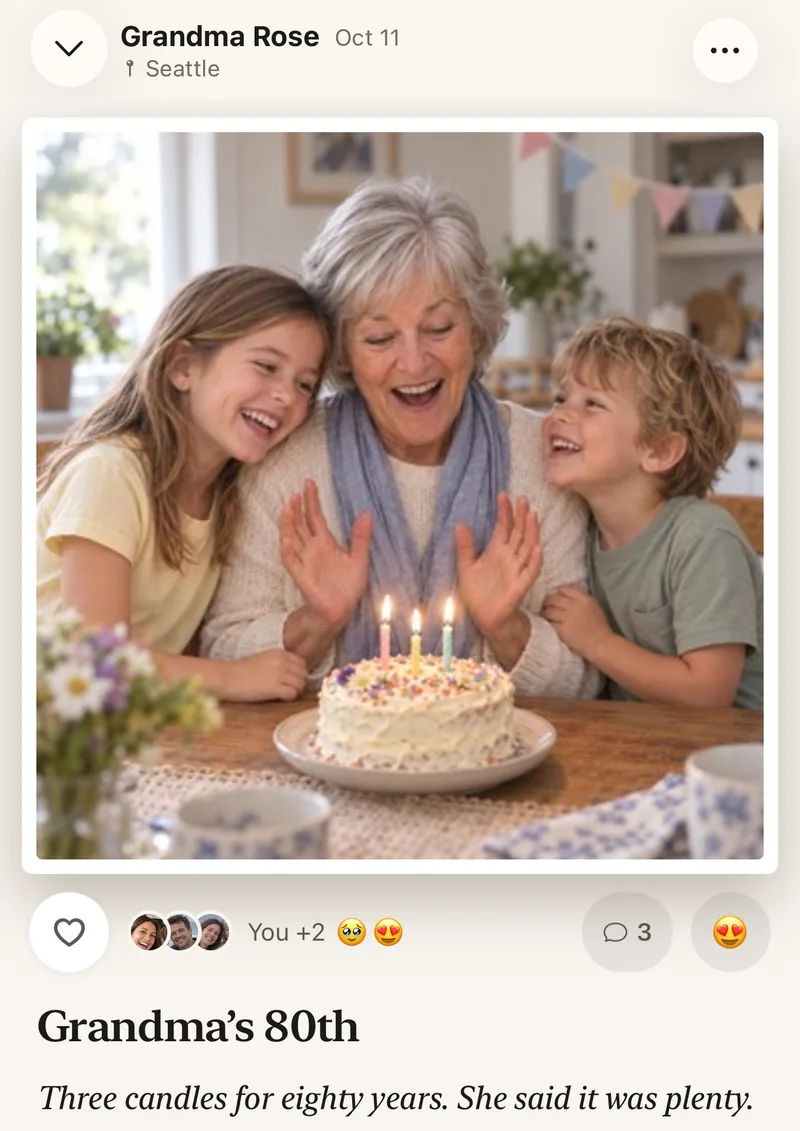
A frame shows photos. The album lets grandparents answer.
A frame is lovely on a shelf, but it goes one way. In Lumo, grandparents see every photo the family adds, on the phone or tablet they already have, and answer with a heart or a comment beside the photo.
The family album as a photo frame alternativeAbout these brands
Frameo, Nixplay, Skylight, Aura and みてね (FamilyAlbum) are trademarks of their owners. Lumo isn’t affiliated with, endorsed by or connected to any of them. The steps above come from each maker’s own help pages, checked 6 November 2026, and can change, so check the maker’s help if a screen looks different.
How to put Lumo photos on your frame
- Open the photo in LumoTap the menu, then Save to device.
- Open your frame’s app or emailFrameo, Nixplay, Skylight or Aura, or the frame’s own email address.
- Send the saved photoPick it from your phone’s photos, or attach it to the email.
- Pick again when new photos arriveNew album photos don’t go to the frame by themselves.
Questions
Can Lumo send new photos to my frame automatically?
No, not today. Lumo has no frame sync and doesn’t send photos to a frame’s email address. You save the photos you want and send them with the frame’s app or email.
Can I save the whole album at once?
No. Photos are saved one at a time, which suits a frame: you choose the ones worth showing.
Will the photos look sharp on the frame?
The free save is a JPEG up to 2048 pixels on its longer side. With Lumo Pass you save the original exactly as it was shot. Some frames’ email addresses only take JPG or PNG files, so the JPEG copy is the easiest to email.
Is Lumo connected to Frameo, Nixplay, Skylight, Aura or みてね?
No. Lumo isn’t affiliated with any frame maker. This guide follows each maker’s own help pages.
Who can see our photos?
Only the people in your family album. Nothing is public, there are no followers, and photos are never shown to anyone outside your family.
Is Lumo really free?
Yes. The album, unlimited photos and videos, inviting family, hearts and comments are all free. Lumo Pass is optional, for unlimited magic, full-length videos and saving originals. Unlimited means unlimited for everyday family use, under fair use.
Start your family album.
Free. Private to your family. No ads, ever.