
Just engaged
You’re engaged. Show both families first.
To share your engagement with both families privately, make one album just for them in Lumo, next to your own family album, and invite parents and siblings from both sides with a private link or the 4-digit family code. Add the proposal photos and the video, kept whole, and both families see everything in one place. Nothing is public.
Last updated
Lumo is a free, private family album for iPhone, iPad and Android. Send one link and the whole family can join.
Invited to a Lumo album? Open it in any web browser: app.lumomagic.com

Where the proposal photos end up
One photo goes on social media. The rest stay on two phones, and the proposal video is too big to send whole in a chat. Your parents get a few photos forwarded; your partner’s parents get a different few. Nobody on either side sees all of it.
One private album for both families
In Lumo, you can be in more than one family album. If you already have one, open the Family tab, tap your family name at the top, then New family. Give it a name both sides will recognize, such as “Anna & Ben’s families”, and tap Create family. If you’re new to Lumo, the first album you start can be this one.
The new album sits next to your own family album, and your other albums stay as they are. Each one is private to the people in it.
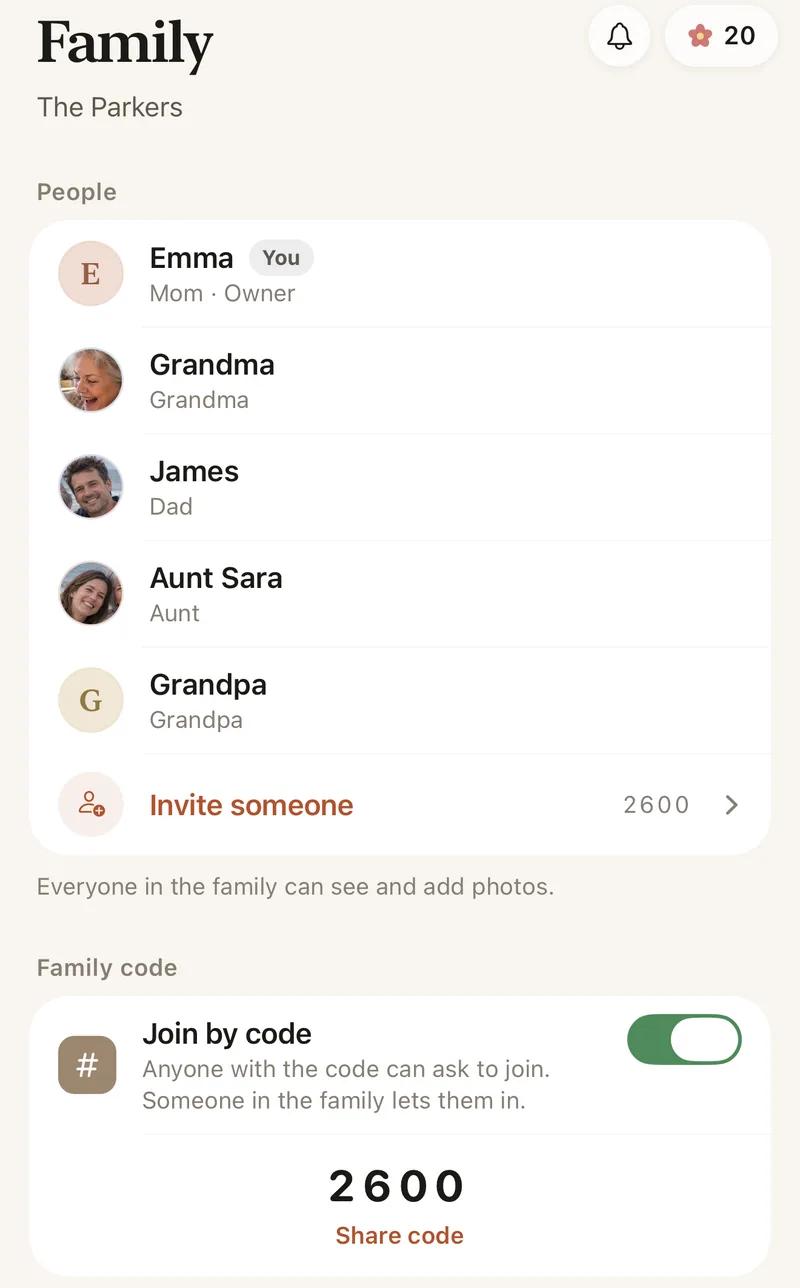
Invite both sides
- Send a private invite link to your parents and siblings, and to your partner’s. Invite links work for 30 days.
- Or give them the 4-digit family code. Typing it only asks to join, and someone in the album lets them in.
- It works the same on iPhone, iPad and Android, so it doesn’t matter which phone each parent has.
The proposal video, kept whole
Proposal videos run long: the walk, the question, the answer, the call home. Lumo keeps each video whole, up to 3 GB, and every photo in full quality, so both families see it the way it was filmed.
Everyone adds their own
The ring up close, the first call home, the first dinner with both families: everyone in the album can add the photos and videos they take, and they line up in the order they were taken.
Private until you say so
Only the people you invite can see the album. Nothing is public, there are no ads, and photos are encrypted in transit and at rest. You can remove someone at any time. To send one photo to a friend, make a single-photo link: it opens for 45 minutes, then shows only a small preview.
Then the party, then the wedding
For the engagement party, make an event album with a QR code on the tables, so every guest’s photos land in one place. Later, the wedding album sits next to both, and afterwards the wedding photos can go to the whole family too: see how to share wedding photos with family.
Engagement party photo sharingHow to share your engagement with both families
- Make an album for both familiesFamily tab, your family name at the top, then New family.
- Add the proposal photos and videoIn full quality, with the video kept whole.
- Invite both sidesA private link, or the 4-digit family code.
- Everyone adds theirsThe ring, the call home, the first dinner together.
Questions
Will our own family album change?
No. The new album sits next to it, and you can switch between them at the top of the Family tab. Each family album is private to the people in it.
Can both sets of parents add photos?
Yes. Everyone in the album can add photos and videos from their phone, and everyone in it sees them.
How do parents join?
Send them a private invite link and they tap it, or give them your 4-digit family code. A code only asks to join; someone in the album lets them in.
Can we show one photo to friends?
Yes. Make a single-photo link: it opens for 45 minutes, then shows only a small preview. The rest of the album stays private.
How does Lumo keep our photos safe?
Photos are encrypted in transit and at rest, and only signed-in members of your family album can open them. Invite links stop working after 30 days, a family code only asks to join, and you can turn the code off or remove someone at any time. There are no ads, and we don’t sell your data.
Start your family album.
Free. Private to your family. No ads, ever.