
Photo to drawing
Turn a family photo into a drawing.
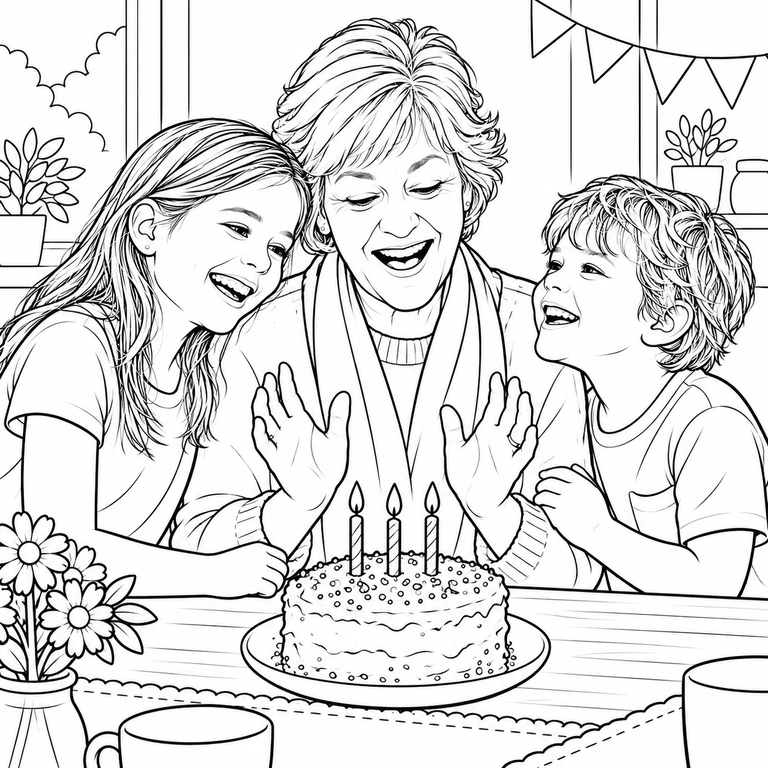
Pick a photo, pick a style, and Lumo redraws it: a watercolor, a storybook page, hand-painted anime, a 3D character or a coloring page. There’s no prompt to write, and your original never changes.
Free on iPhone, iPad and Android. Private to your family.


One photo, many styles
Every style starts from a photo already in your family album. These were all made from the same birthday photo.




How it works
Open a photo in your Lumo album, tap Make something, and choose a style. A few moments later the drawing appears next to the photo, for the whole family to see.
Save it to your phone to print, frame or send. Try another style on the same photo whenever you like.
Which photos work best
Any photo works, but a few things help the drawing look like the people in it:
- Faces that are clear and not too small
- Good, even light
- One to four people or pets
- A favorite drawing, for the plushie style
Honest about what AI does
Lumo uses AI image models to redraw your photo. Results can be imperfect and may not look exactly like the people in it, so the original always stays as it is, right beside the drawing.
Questions
Does magic cost anything?
Each piece of magic uses a few flowers, Lumo’s in-app credits. Lumo Pass makes magic unlimited for the whole family.
Do I need to write a prompt?
No. Pick the photo and tap a style. Lumo handles the rest.
Can I print the drawing?
Yes. Save it to your phone and print it at home or at a print shop.
Does it change my original photo?
No. The drawing is saved as a new picture next to the original.
Who can see our photos?
Only the people in your family album. Nothing is public, there are no followers, and photos are never shown to anyone outside your family.
Start your family album.
Free. Private to your family. No ads, ever.