
Birthday party
Collect the photos from every party guest.
To collect photos from party guests, make one private event album before the birthday and share its link in the invitation chat, or stand its QR code on the tables. Each guest adds the photos and videos they took from their own phone, in the free Lumo app or in their browser, in full quality. Everything lands in one album, in the order it was taken, and the album is kept.
Lumo is a free, private family album for iPhone, iPad and Android. Send one link and the whole family can join.
Invited to a Lumo album? Open it in any web browser: app.lumomagic.com

Why party photos never arrive
Everyone at a birthday party takes photos: the cake, the toast, the friends who haven’t seen each other in years. The next day, each person’s photos are still on their own phone. Asking “can everyone send me their photos?” brings a handful, shrunk in a chat, and the rest never come.
What works is one place everyone adds to themselves, shared while the party is still going.
What makes guests actually add their photos
- One QR code or link, the same for everyone, shared before or during the party.
- Nothing to install: guests can add photos straight from their browser, on iPhone or Android.
- A sign where people stand around: by the cake, at the drinks, at the entrance.
- A reminder at the cake, while everyone is in one place.
A free QR code sign for the tables
Download the free birthday party sign (PDF), with A5, A6, 5×7 in and 4×6 in pages. In Lumo, make an event, for example “Sam’s birthday”, tap Show a QR code and place the code in the frame on the sign.
Guests scan it with their phone camera and join, in the free app or by choosing “Continue in your browser”. One code works for up to 500 people, and you can turn on “Only admins can let people in” to accept each guest yourself.
More free QR photo signs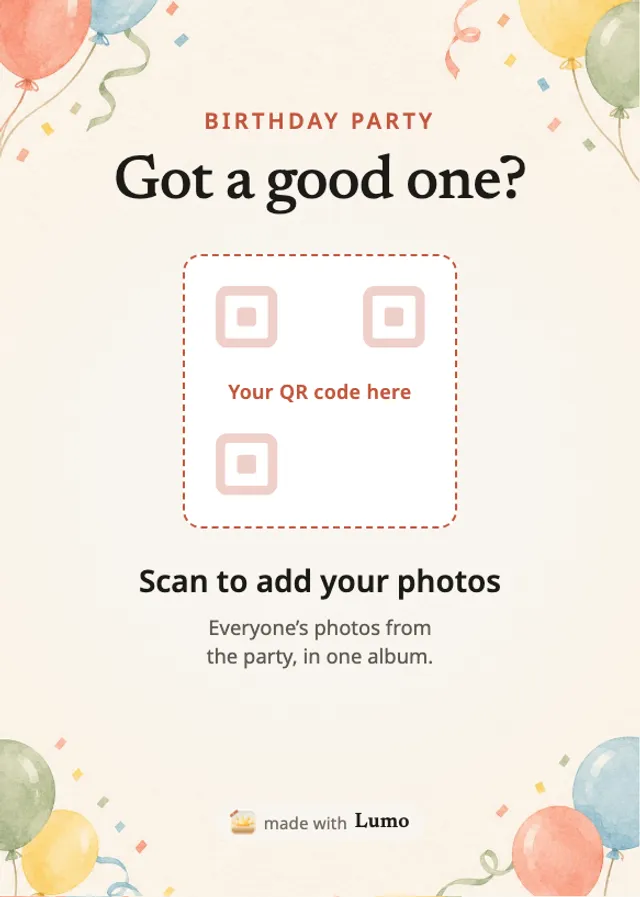
After the party
The event album stays, so guests can add photos the next day, and the birthday guest can look through everyone’s photos in one place. Photos are kept in full quality, and videos whole, up to 3 GB each. Anyone in the album can save the photos they want.
Next year, make a new event and share it in the same chat.
How event albums workHow to collect photos from birthday party guests
- Make an eventIn Lumo, open the Family tab, tap your family name at the top, then New event.
- Show the QR code or share the linkOn a sign on the tables, or in the invitation chat.
- Guests add their photosIn the free app or in their browser, in full quality.
- Keep the albumEvery photo from the party, in one place.
Questions
Do guests need to install the app?
No. They can scan the code and choose “Continue in your browser” to add photos at app.lumomagic.com, signed in with Apple, Google or email. The free app works too, on iPhone, iPad and Android.
Can guests see each other’s photos?
Yes. Everyone in the event sees what’s added. Nobody outside the event can.
Is it free?
Yes. There is no fee per event and no limit on photos. Videos are kept whole, up to 3 GB each.
Does the QR code expire?
Invite links and their QR codes stop working after 30 days, so make the code within a month of the party. The album itself stays, and you can make a new code at any time.
How are the photos kept safe?
Photos are encrypted in transit and at rest, and only people in the album can open them. Invite links stop working after 30 days, and you can turn a link off or remove someone at any time. There are no ads, and we don’t sell your data.
Start your family album.
Free. Private to your family. No ads, ever.