
Saving shared photos
Temporary shared album expiring? Here’s how to keep the photos.
A temporary shared album on iPhone is deleted 30 days after it’s made, along with any photos and videos nobody saved. Since iOS 27.2, Photos can remind you first. Save everything in a few taps, or the owner can keep the album. Then, if you like, put the holiday’s photos in one album that stays.
Last updated
Lumo is a free, private family album for iPhone, iPad and Android. Send one link and the whole family can join.
Invited to a Lumo album? Open it in any web browser: app.lumomagic.com

How a temporary shared album expires
On iOS 27, iPadOS 27, macOS 27 or later, or at iCloud.com, the person who makes a shared album can turn on Make Album Temporary. The album is then for sharing photos and videos for 30 days. When it expires, any photos or videos that nobody saved to their own library are deleted.
So an album started at Thanksgiving, on 26 November, expires around 26 December, and one from Christmas or New Year expires in late January.
- It lasts 30 days. An existing shared album can also be made temporary, and is then deleted 30 days later.
- It holds up to 5,000 photos and videos, and doesn’t count toward anyone’s iCloud storage.
- Since iOS 27.2, Photos can show a reminder before the album expires. Apple doesn’t say how long before, so it’s safest to save early.
- Temporary shared albums aren’t available in every country or region.
Save everything before it goes
What you save stays in your own library after the album expires. Albums made on version 27 or later keep photos at full resolution. Comments and likes aren’t saved with the photos.
- On iPhone or iPad, open the album in Photos, tap More (•••), then Save All Shared Items. If you’ve saved some already, it says Save Remaining instead.
- Or tap Select, choose the photos and videos, tap the Share button, then Save.
- On a Mac, open the album in Photos, select everything with Command-A, then Control-click and choose Save to Library.
Or keep the album itself
If the album should stay, the person who made it can open it, tap Manage Shared Album and turn off Make Album Temporary. The album then stays like any other shared album and counts toward the owner’s iCloud storage, which works well if they have the room. Apple doesn’t describe another way to make a temporary album last longer.
How iCloud storage works for shared albumsAlready expired? Where a copy may still be
An expired temporary album can’t be brought back, and anything nobody saved is gone from it. A copy may still be in one of these places:
- Your own library, if you saved some of the photos before.
- The library of anyone else in the album who saved them.
- The phone of the person who took each photo, since what they shared usually came from their own library.
One album for the holiday’s photos, from everyone
Lumo can’t open an iCloud album link, so the photos come from your own devices. Each person saves what they want from the shared album, then adds it to one Lumo family album: up to 30 at a time in the app, or as many as they like at once in a browser at app.lumomagic.com, which is quicker for a big album.
Lumo skips photos already in the album, so if two people saved the same ones, nothing shows up twice. Photos are sorted by the date taken stored in each photo, when there is one. The family sees the same album on iPhone, iPad, Android or a computer, and it doesn’t expire.
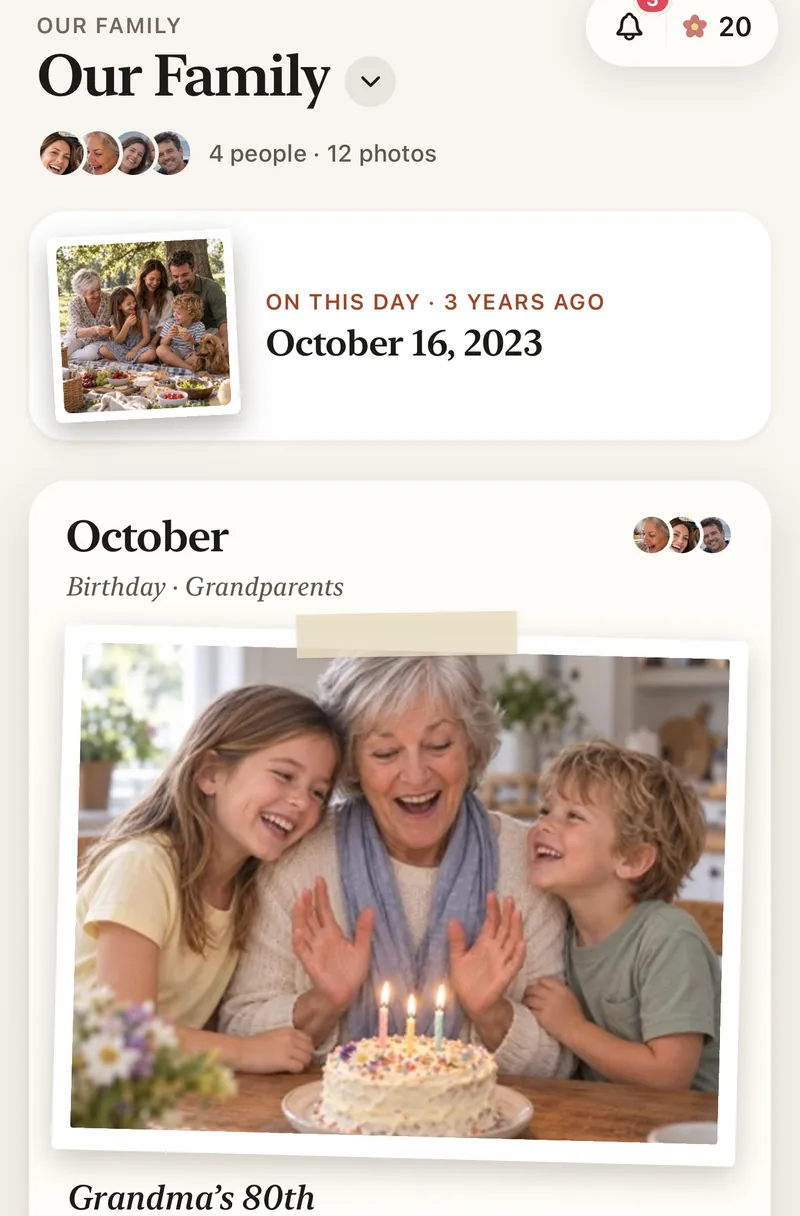
Next gathering: start with an album that stays
For the next holiday or get-together, make an event album in Lumo and share one link or QR code. Guests join in the app or in a browser at app.lumomagic.com and add their photos as the day goes. The link and QR code work for a year, and the album itself stays.
An album for every eventWhere these facts come from
Apple’s support pages on temporary shared albums, saving shared photos, Shared Albums limits and sharing albums, checked 8 November 2026. Save All Shared Items is described by iDownloadBlog (updated 18 September 2026), and the iOS 27.2 reminder comes from Apple’s release notes as reported by 9to5Mac on 28 October 2026. Menus can move a little between versions.
iCloud is a trademark of Apple Inc. Lumo isn’t affiliated with or endorsed by Apple.
How to keep a temporary album’s photos together
- Save the photosSave All Shared Items in the album, before day 30.
- Start a family albumOn iPhone, iPad or Android, or at app.lumomagic.com.
- Add themUp to 30 at a time in the app, or all at once on a computer.
- Share one link in the family chatEveryone adds what they saved; duplicates are skipped.
Questions
Can I make a temporary shared album last longer?
If you made it, yes: open the album, tap Manage Shared Album and turn off Make Album Temporary. It then stays, and counts toward your iCloud storage. Apple doesn’t describe a way to add days to a temporary album.
Will I get a reminder before it expires?
Since iOS 27.2, Photos can show a reminder before a temporary album expires, for albums updated for iOS 27. Apple doesn’t say how long before. The 30 days count either way, so it’s safest to save what you want early.
Are comments and likes saved with the photos?
No. Apple says comments and likes aren’t saved with a photo when you save it to your library. Once the photos are in Lumo, the family can heart and comment on them there.
Can Lumo import my iCloud shared album?
No. Lumo can’t open an iCloud album link. Save the photos to your iPhone, iPad or computer first, then add them to Lumo.
Will photos show up twice if two of us add the same ones?
No. Lumo skips photos already in the album, so everyone can add what they saved without anything appearing twice.
Start your family album.
Free. Private to your family. No ads, ever.