
This week’s theme
Make a page around the animal, season, place, or story already in the room instead of searching another generic library.
Preschool printable activity maker
Lumo is a caregiver-operated printable activity maker for iPhone and iPad. An educator can describe a theme or choose a photo they have permission to use, make a coloring, tracing, drawing, or story-character activity, adjust the lines and paper size, review the result, and then print it.
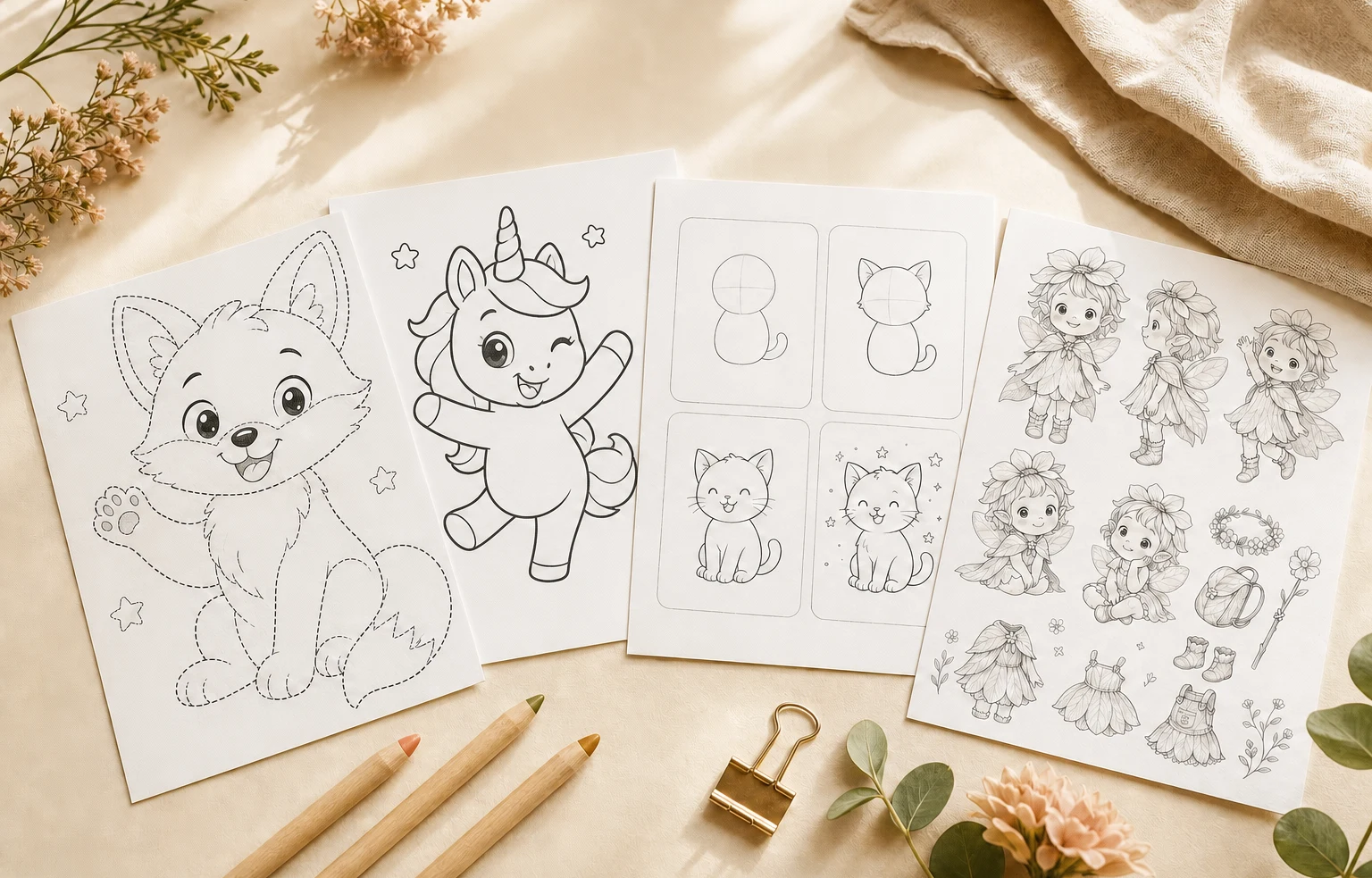 One classroom themeFour printable formats
From the theme you are preparing now
to a creative page you can review, tune, and print.Lumo at a glance
Product facts reviewed 20 July 2026 by Woosoo Pty Ltd.
Inside the real Lumo app
Lumo makes the creative page. The educator chooses the format, shapes the line work, and decides whether the result is right for the group.
Actual Lumo app screens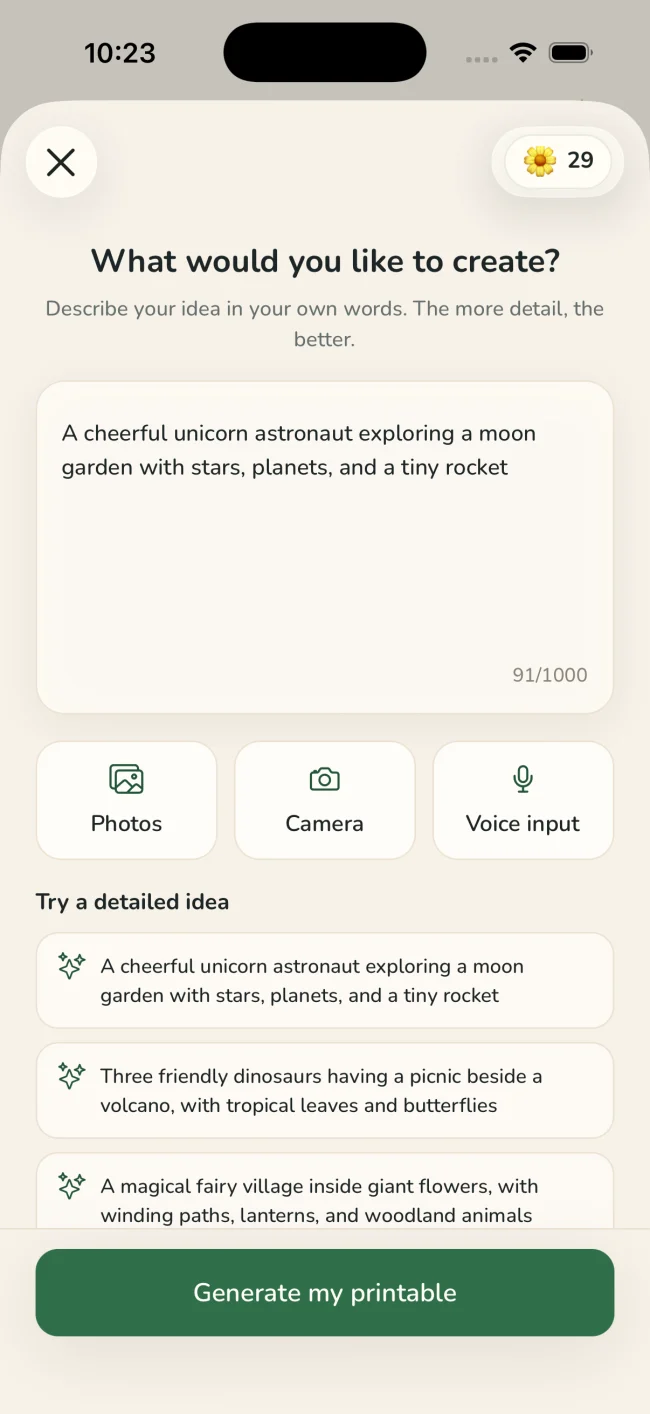
Describe the idea, use voice input, or choose a photo you have permission to use.
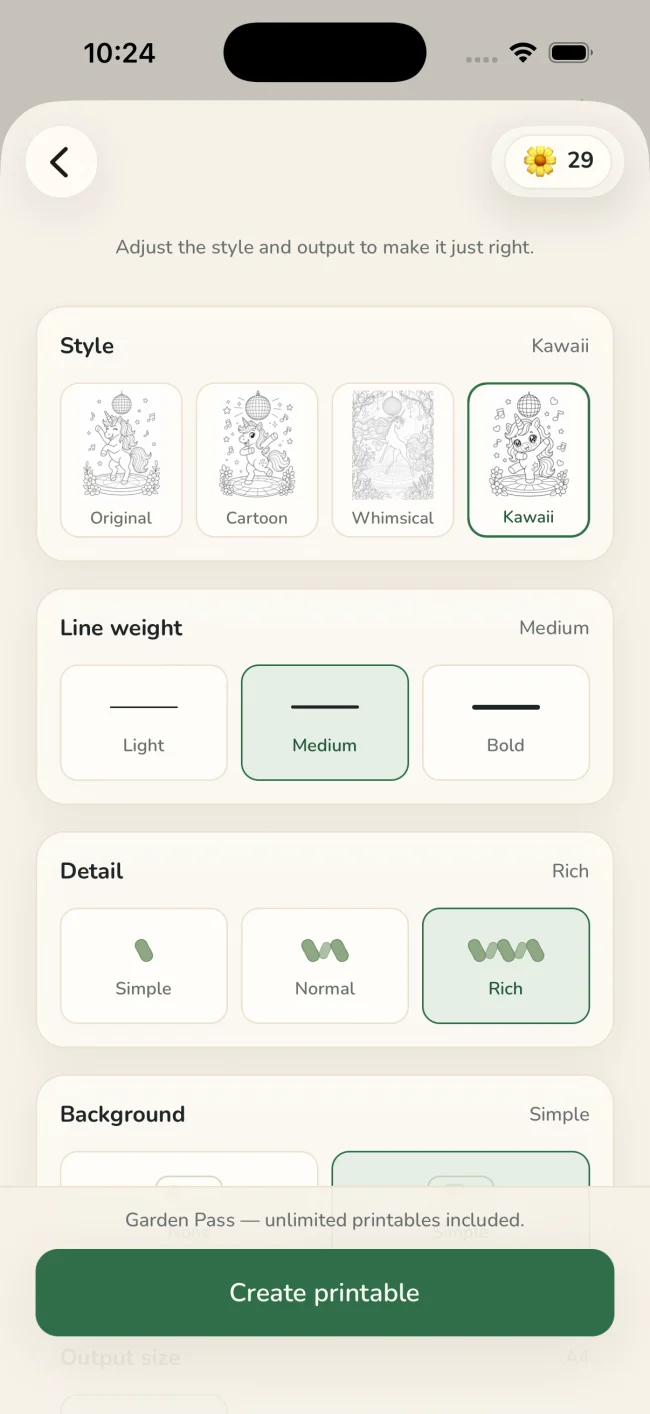
Choose Coloring, Tracing, Drawing, or Story, then tune style, line weight, detail, background, and paper size.
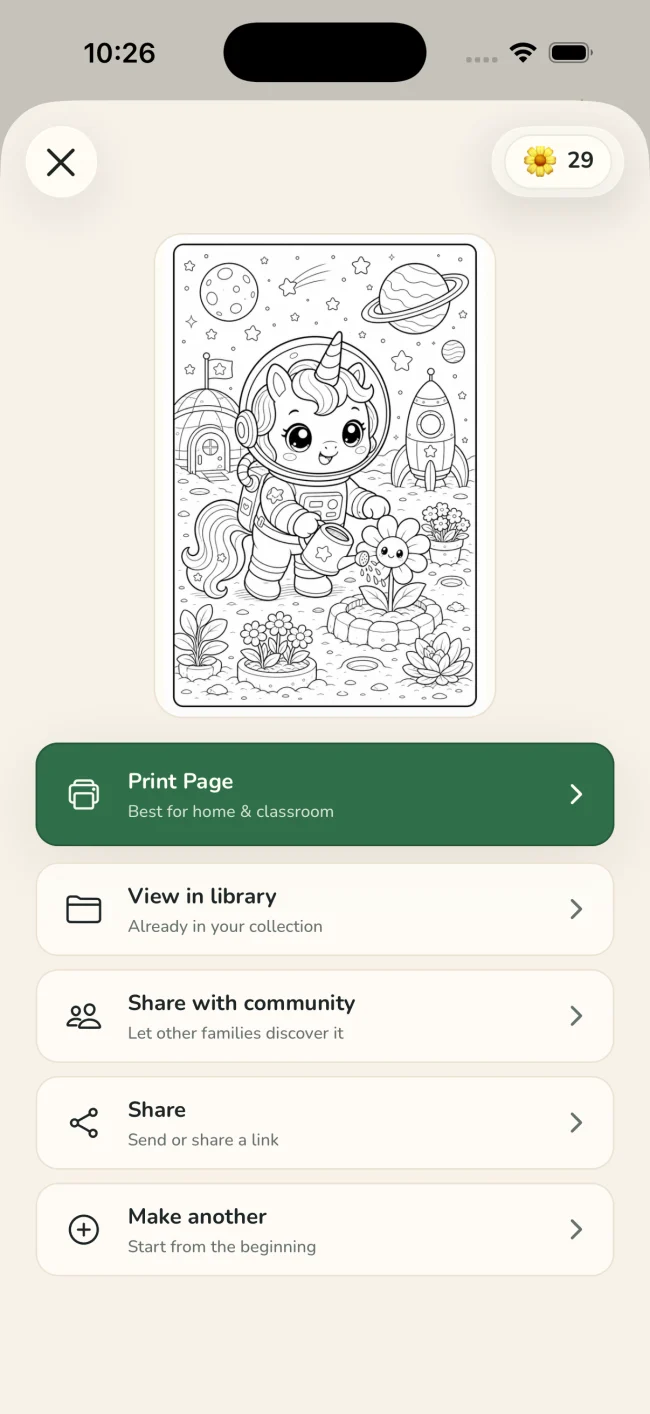
Check the finished activity before opening the native iOS print sheet or keeping it in your Lumo library.
One idea, four ways to playColoring · Tracing · Drawing · Story
Tuned for real paperStyle · line weight · detail · background · paper size
Where it earns a place
Lumo is for the creative page you need to shape around today’s group—not a replacement for your professional judgment or lesson plan.
Make a page around the animal, season, place, or story already in the room instead of searching another generic library.
Choose lighter detail and broader lines when you want a calmer creative page with less visual density.
Keep finished activities in Lumo, return to them later, or print another copy through the normal iOS print controls.
An honest fit check
Lumo is intentionally narrower than a general worksheet service. It gives an adult control over a small set of visual activity formats and the print treatment.
Lumo fits when you need
Adult review stays in the loop
Review every generated activity before printing or sharing it. If you begin with a photo, confirm that you have permission to use it; original photos remain private.
Questions
Lumo supports coloring pages, tracing sheets, four-step drawing activities, and story-character sheets. It is not a general preschool worksheet generator.
Lumo’s terms permit generated activities for personal and classroom purposes. You still need the rights to anything in your input, and you should review each generated activity before use.
Yes. Describe a theme, use voice input, or choose a photo you have permission to use. The adult then chooses the activity type and tuning options.
No. Lumo is a creative printable tool, not a curriculum or educational-advice service. Use professional judgment when deciding whether a generated page suits a particular group or purpose.
The next theme, ready for paper.
Free to start on iPhone and iPad