Give every format a job
Use coloring for open creative time, tracing for deliberate line practice, drawing steps for guided making, or a story character for imaginative play.
From an idea to a printable
Lumo is an AI coloring page generator for original, print-ready activities. Start with a written idea or a photo you have permission to use, choose coloring, tracing, drawing steps, or a story character, then tune the line weight, detail, background, and paper size before you review and print.
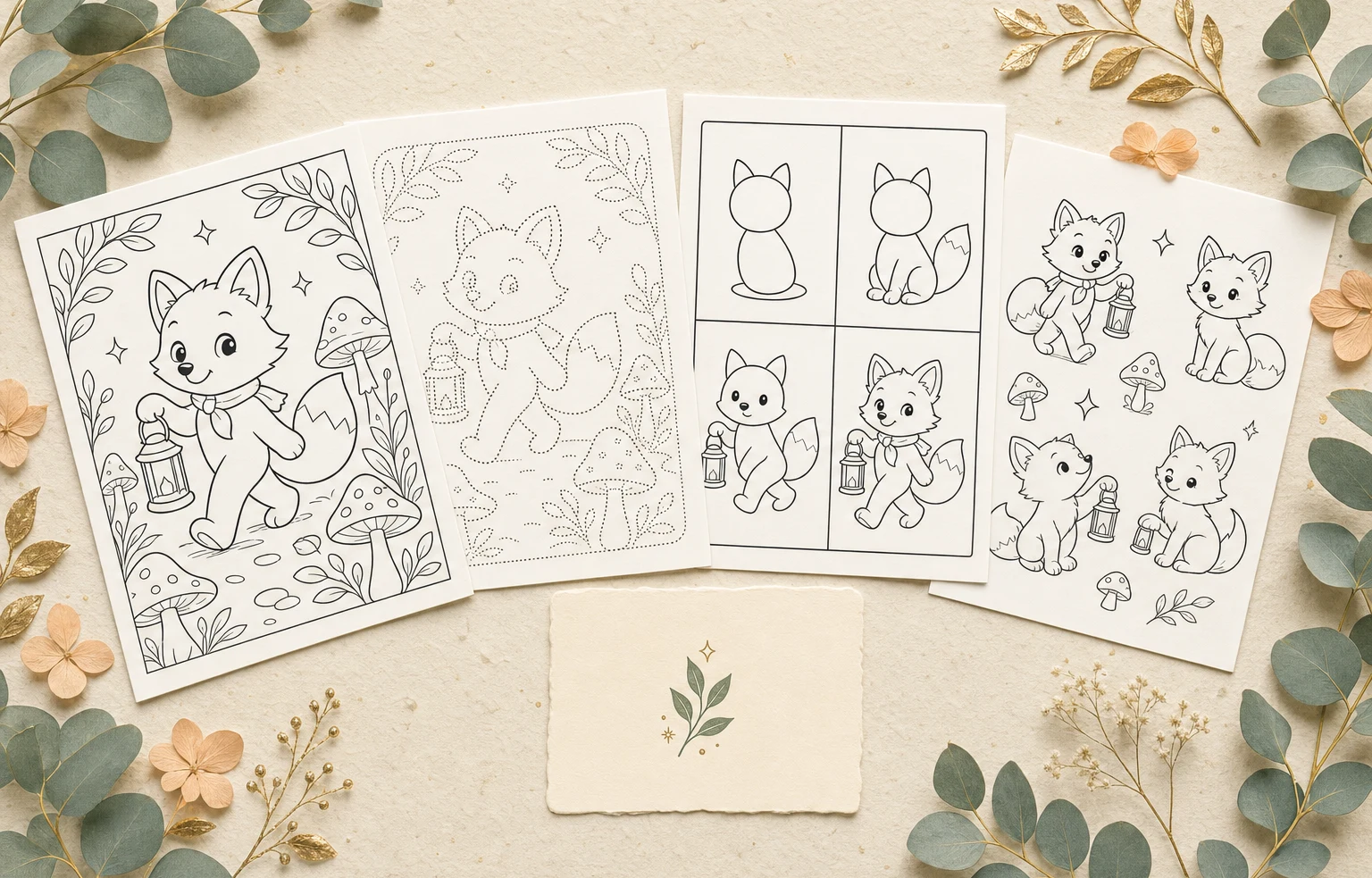 One original ideaFour ways to use it
From a scene you describe or a photo you choose
to an activity shaped for the paper in front of you.Lumo at a glance
Product facts reviewed 20 July 2026 by Woosoo Pty Ltd.
Inside the real Lumo app
The current Lumo app gives the caregiver control over the activity format, visual detail, line weight, background, and output size before anything is printed.
Actual Lumo app screens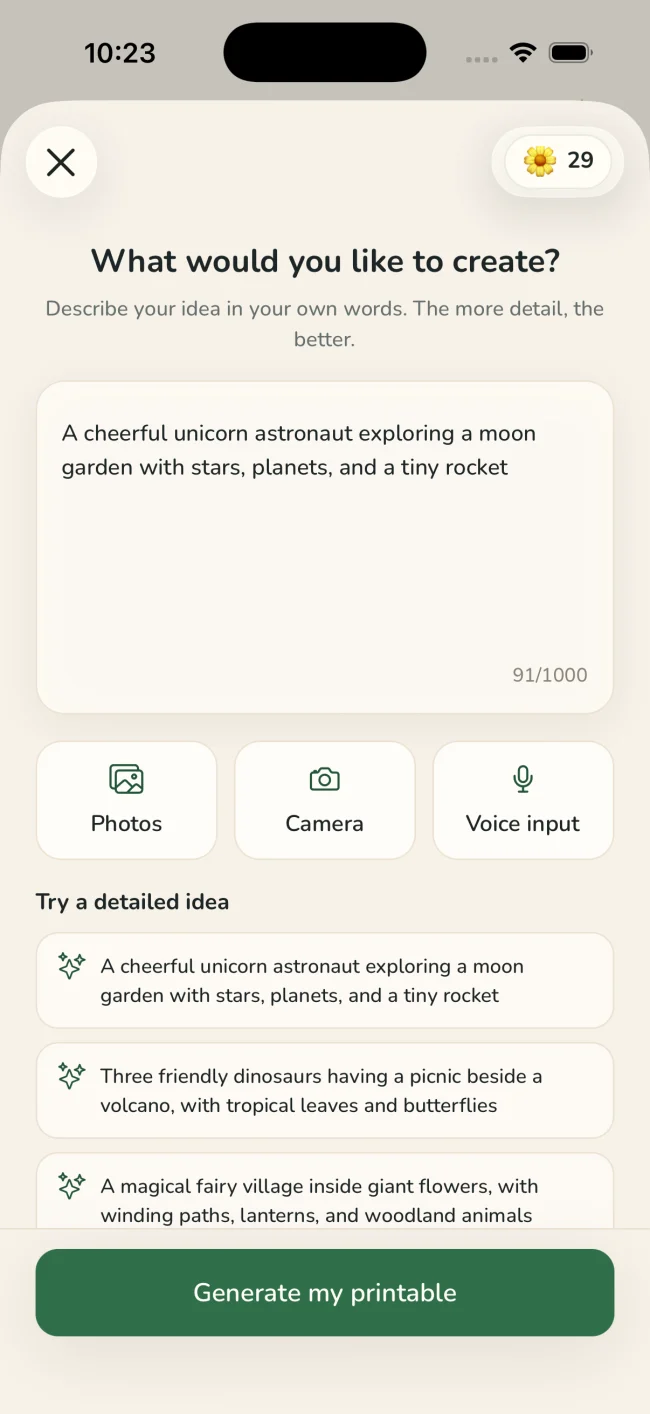
Write an original idea in your own words, or choose a photo you have permission to use.
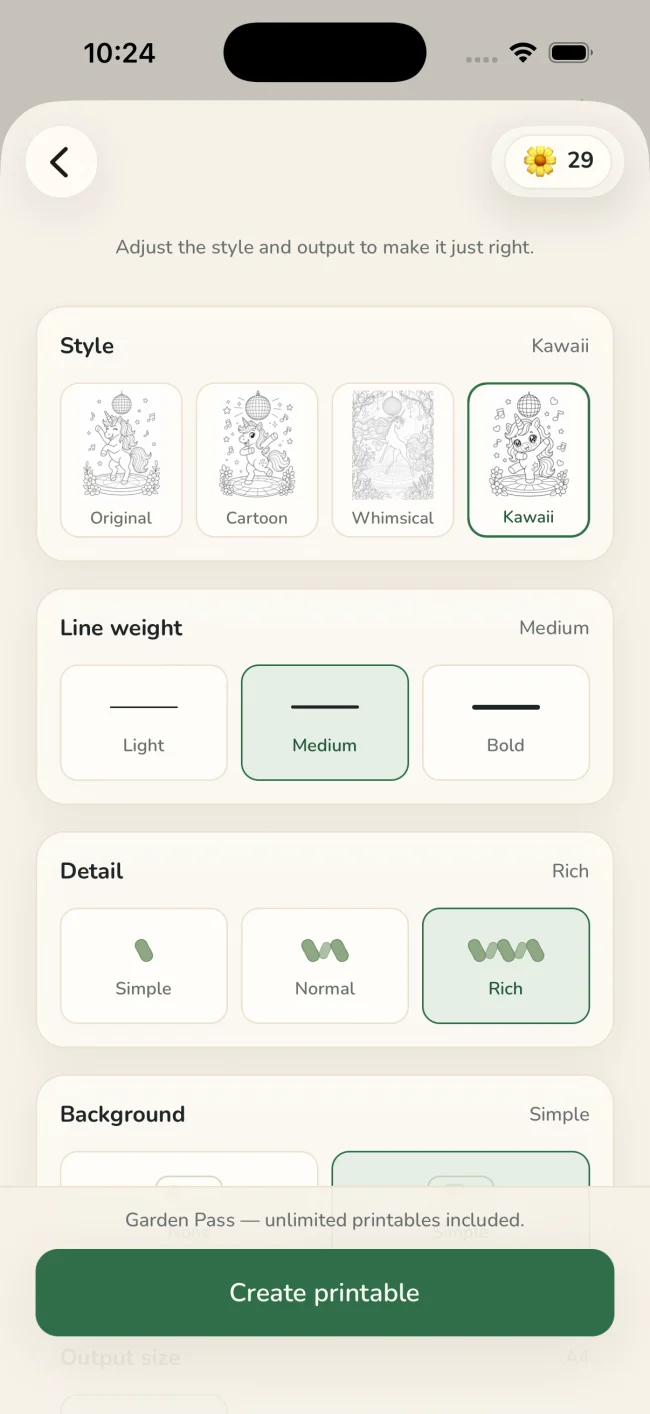
Select coloring, tracing, drawing, or story, then adjust style, line weight, detail, background, and paper size.
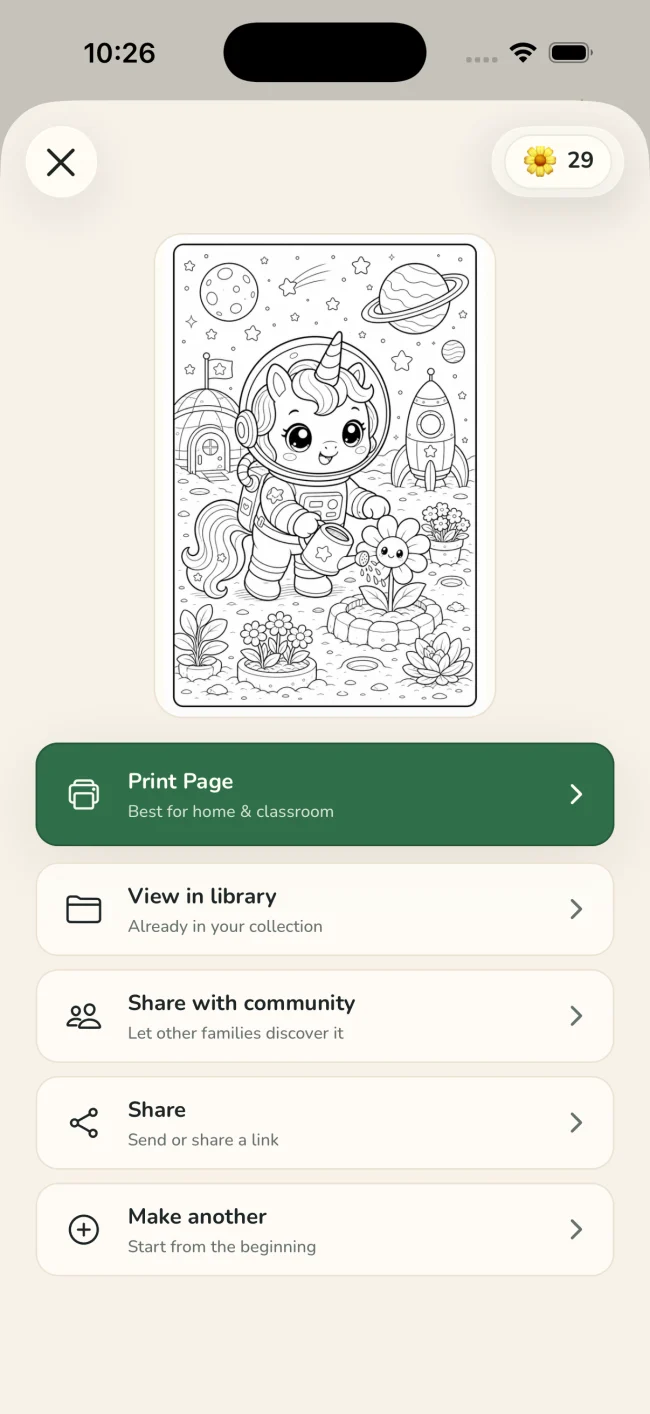
Inspect the finished page and use the native iOS print sheet when it is ready for paper.
One idea, four ways to playColoring · Tracing · Drawing · Story
Tuned for real paperStyle · line weight · detail · background · paper size
Useful, not just generated
A strong printable has a clear purpose, readable lines, and enough open space for the person using it.
Use coloring for open creative time, tracing for deliberate line practice, drawing steps for guided making, or a story character for imaginative play.
Reduce visual complexity for broad coloring spaces, or keep richer context when the scene and intended user benefit from it.
Check the subject, outlines, spacing, and page size before opening the native iOS print sheet.
Before you generate
The best results begin with an original scene or a photo you are allowed to use, followed by a quick caregiver review.
Good fit for Lumo
A quiet privacy promise
Lumo does not publish the original photo. Only a generated activity can be shared with the community, and only after you deliberately choose to share it.
Questions
In Lumo, describe an original scene or choose a permitted photo, select Coloring, adjust the style, line weight, detail, background, and paper size, then review the generated page before printing.
Yes. Lumo can turn the same starting idea into coloring, tracing, step-by-step drawing, or a reusable story-character activity.
Yes. Lumo can create a printable activity from a photo in your library. The original photo stays private, and you choose whether to share the generated activity.
Yes. Lumo includes line-weight, detail, background, style, and output-size controls so the caregiver can tune the page before printing.
Yes. When the page is ready, Lumo opens the native iOS print sheet so you can select an available printer and normal system print options.
No. Lumo is designed for original ideas and photos you have permission to use, not for reproducing branded or copyrighted characters.
Original ideas, ready for paper.
Free to start on iPhone and iPad