A personal party activity
Print a page based on the guest of honor instead of reaching for a generic birthday design.
Birthday photo coloring page
Lumo turns a birthday photo into a personalized black-and-white coloring page. Choose the line style and detail, review the finished activity, and print copies for the celebration or save it as a keepsake.
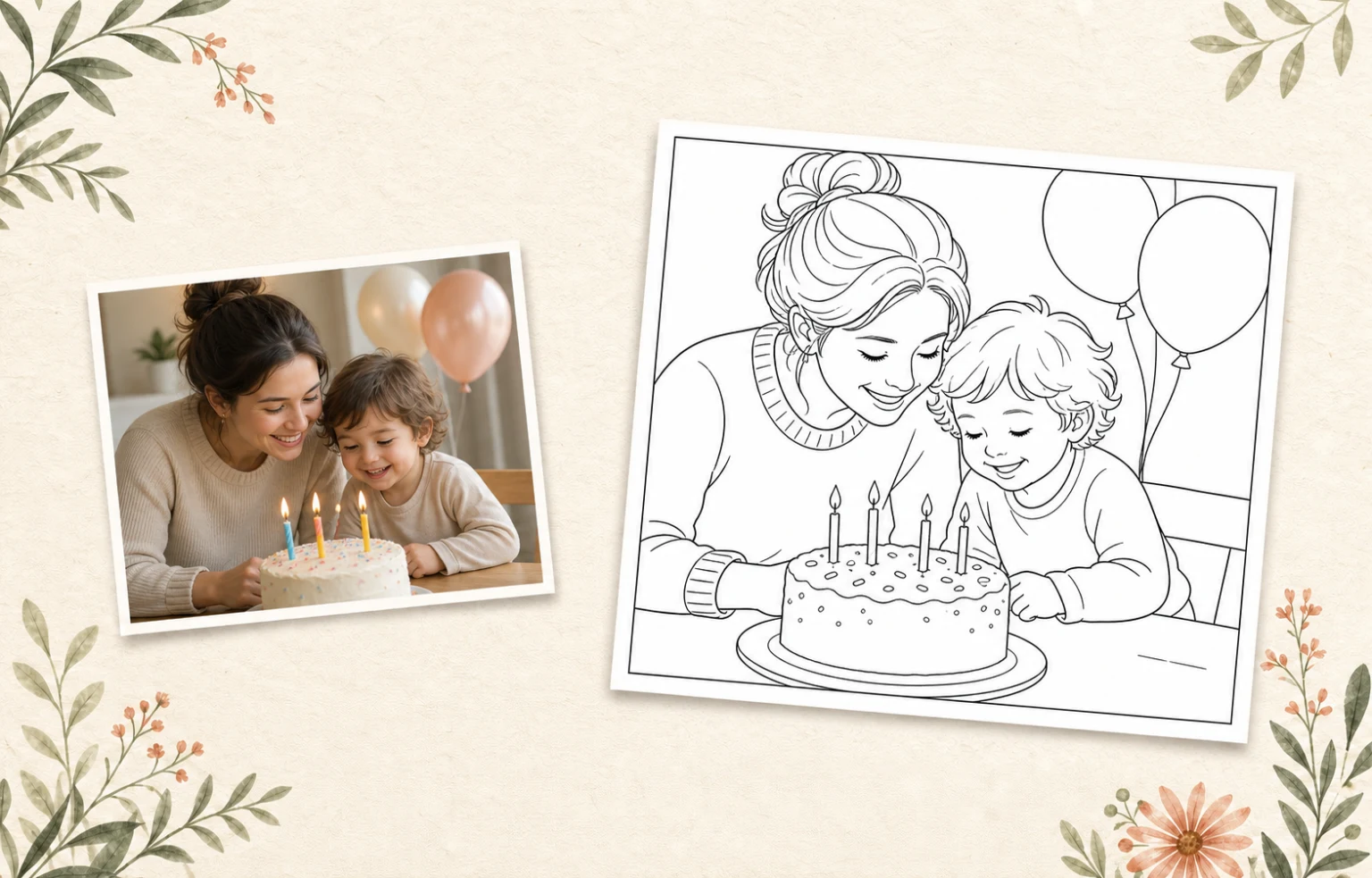 A birthday momentA page for the party
From candles, cake, and a familiar smile
to a personal activity you can print for the celebration.Lumo at a glance
Product facts reviewed 20 July 2026 by Woosoo Pty Ltd.
Inside the real Lumo app
Choose a clear birthday photo, tune the detail for comfortable coloring spaces, and print the finished page when it feels right.
Actual Lumo app screens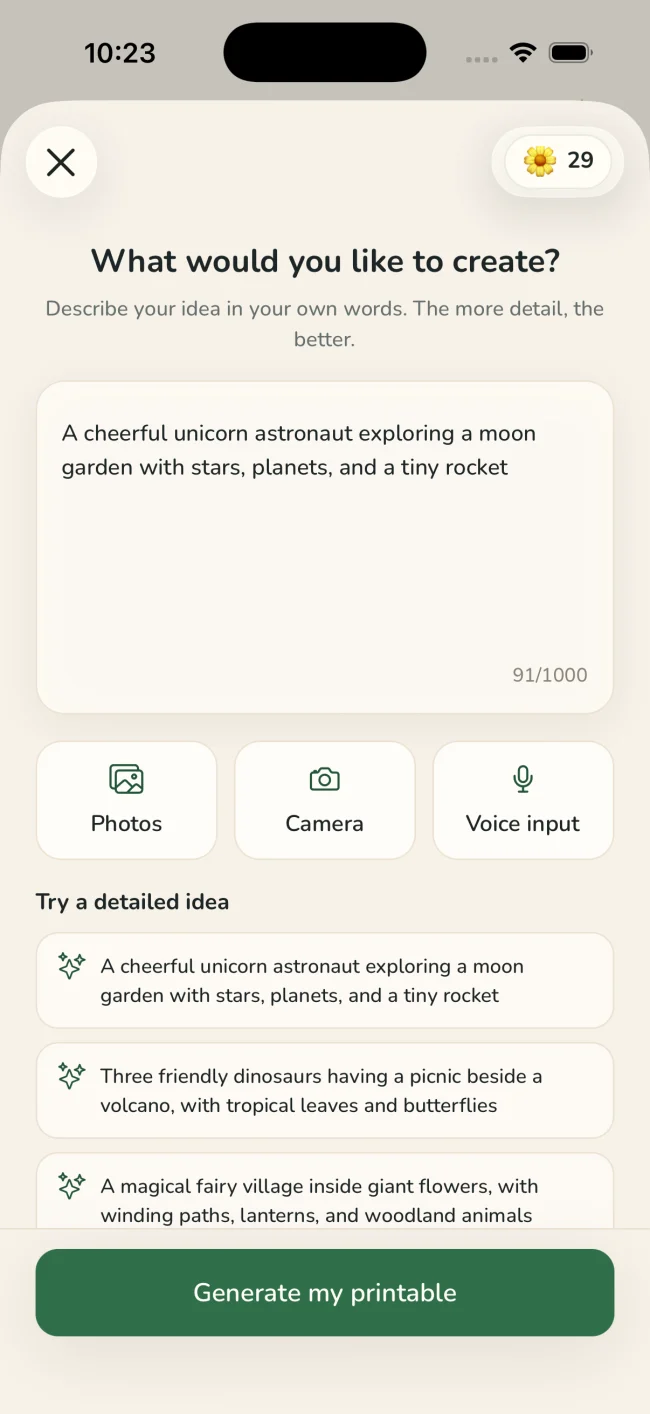
Pick a bright photo where the person, cake, or celebration scene is clear without too much background clutter.
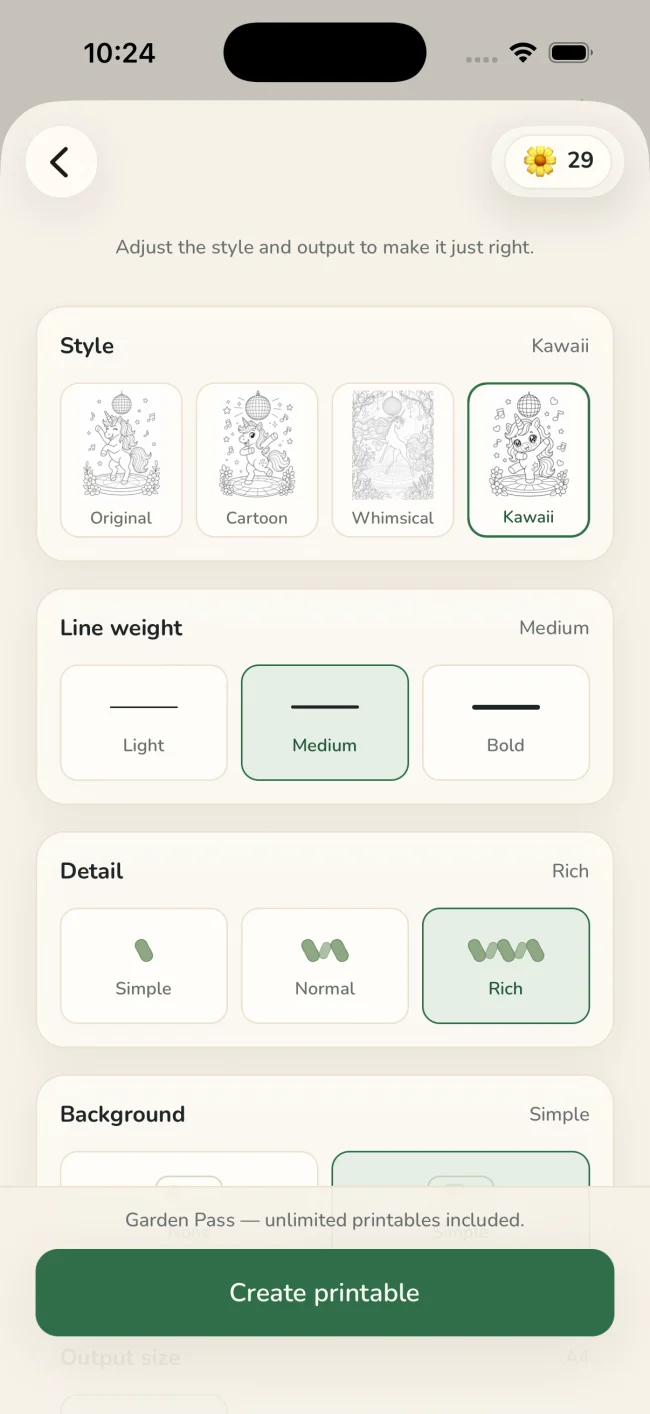
Choose the style, line weight, detail, background, and paper size that suit the scene.
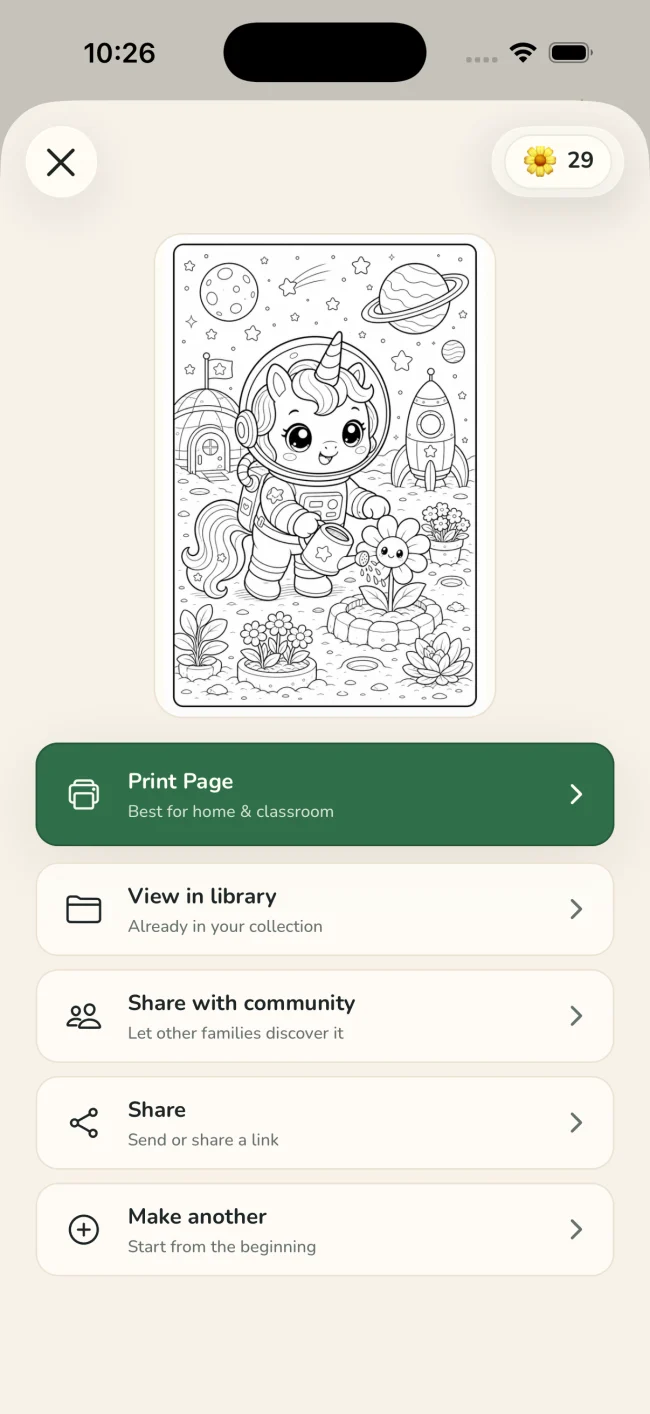
Check the finished page, then open the native iOS print sheet or save and share the generated activity.
One idea, four ways to playColoring · Tracing · Drawing · Story
Tuned for real paperStyle · line weight · detail · background · paper size
Why make it personal?
A printable feels different when it begins with someone—or something—you already love.
Print a page based on the guest of honor instead of reaching for a generic birthday design.
Use the native print sheet to prepare multiple copies for family and guests to enjoy together.
Save the printable in your Lumo library and keep a finished copy beside the original birthday photo.
A quiet privacy promise
Only the generated activity can be shared with the Lumo community—and only when you deliberately choose to share it.
Questions
Yes. Choose the photo in Lumo, select Coloring, tune the line style and detail, and generate a personalized printable.
Yes. Lumo opens the native iOS print sheet, where you can use the copy and printer options available for your device and printer.
Use a well-lit photo with a clear person, cake, or party subject. A simpler background generally produces a page that is easier to recognize and color.
No. Original photos stay private. Only the generated activity can be shared, and only when you deliberately choose to share it.
Birthday moments, made printable.
Free to start on iPhone and iPad