A familiar story
Recognizable people, places, and little moments make the printed page feel personal instead of generic.
Personalized family coloring pages
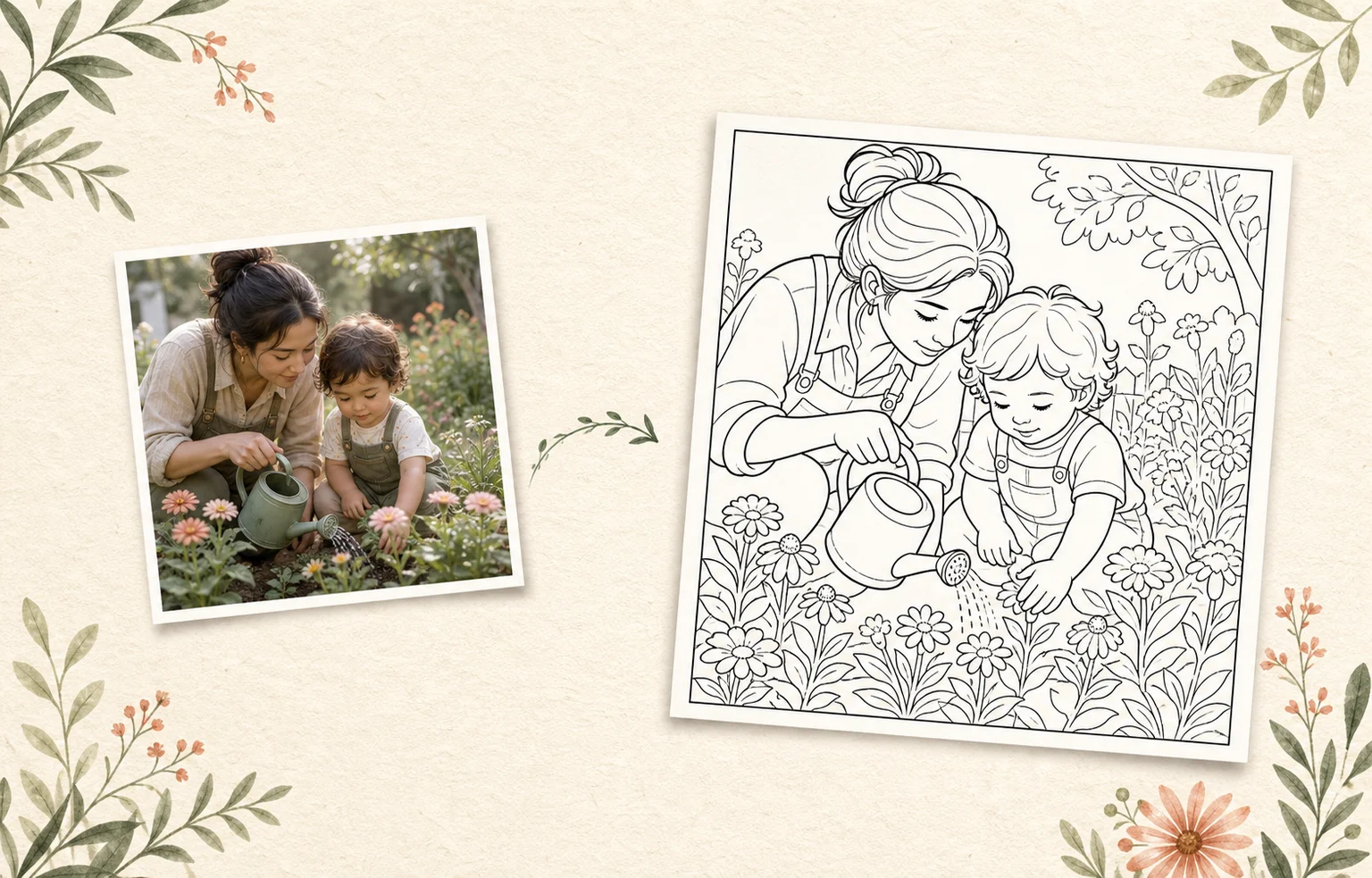
A family-photo coloring page turns a familiar moment into clean printable line art. Lumo lets the caregiver choose the photo, activity type, detail level, and paper size before printing or saving the result.
 A family momentAn activity to share
From a familiar family moment
to a page everyone can color, print, and remember.Lumo at a glance
Product facts reviewed 20 July 2026 by Woosoo Pty Ltd.
Inside the real Lumo app
Choose the family photo, tune the detail for clear coloring spaces, and decide when the page is ready for paper.
Actual Lumo app screens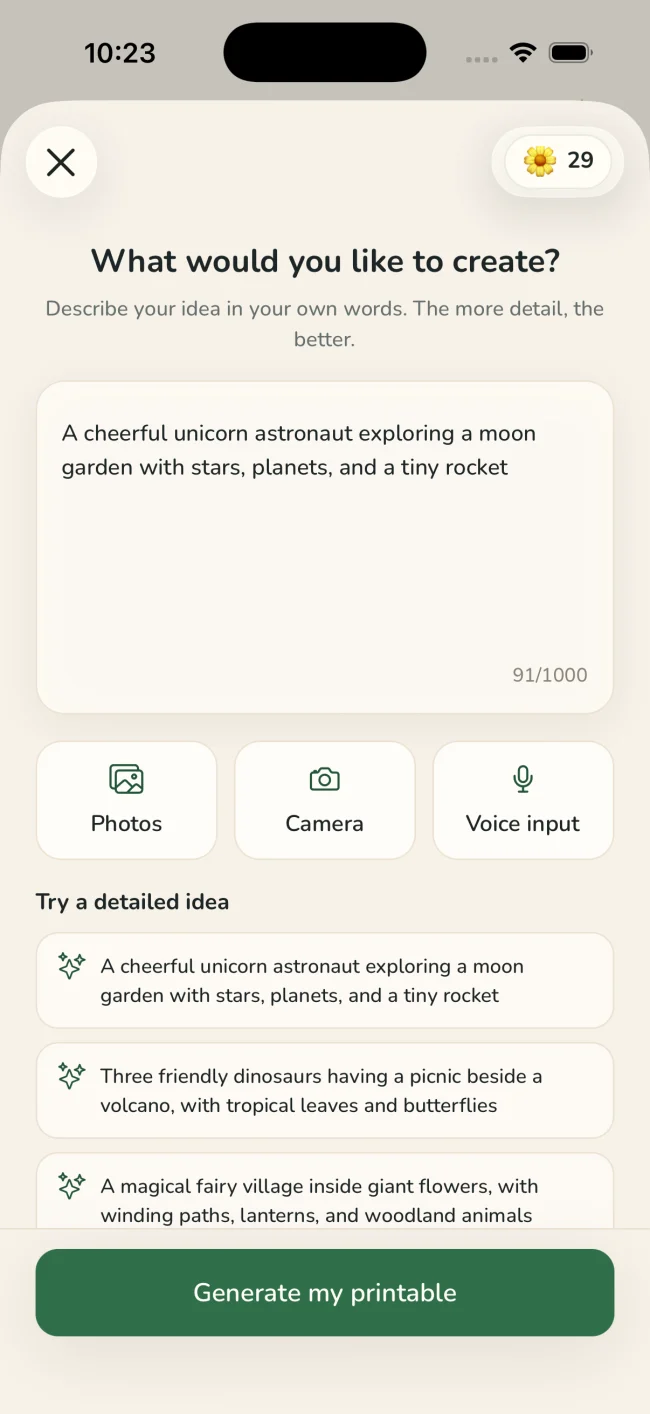
Choose a photo with clear faces and a simple, meaningful scene.
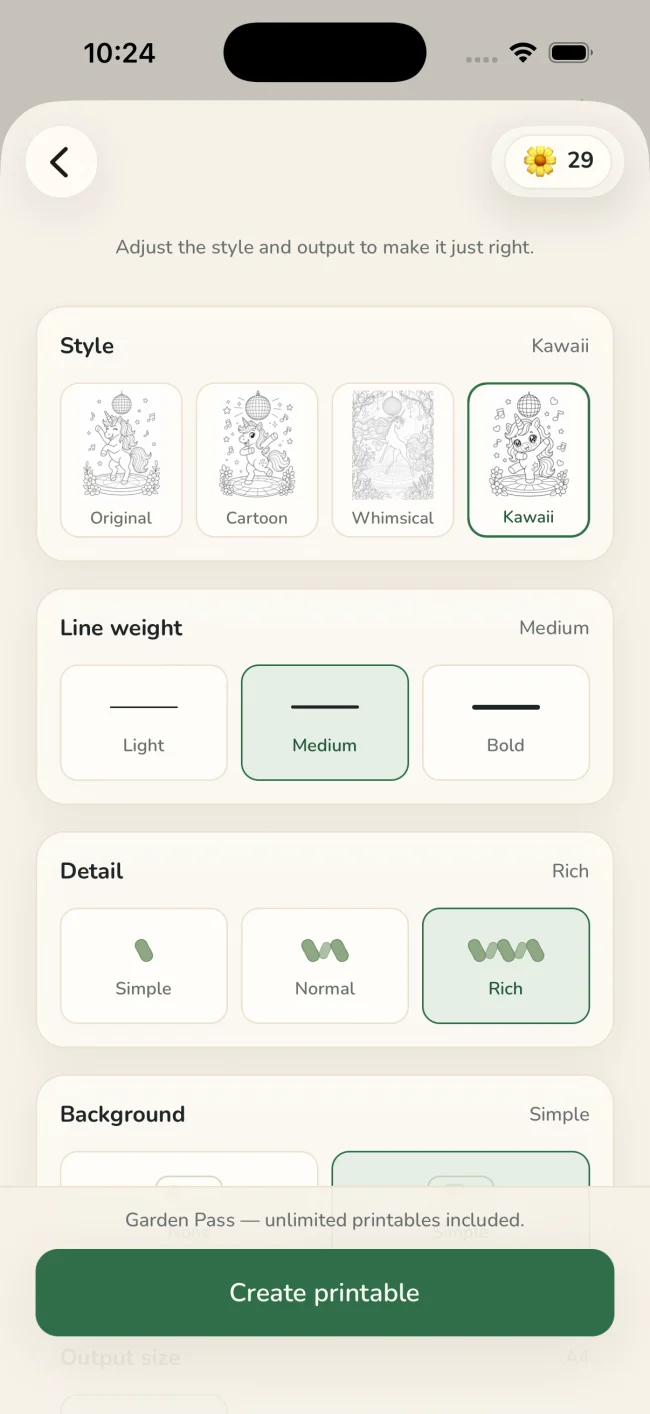
Use lighter detail for broad coloring spaces or richer detail when the scene needs more context.
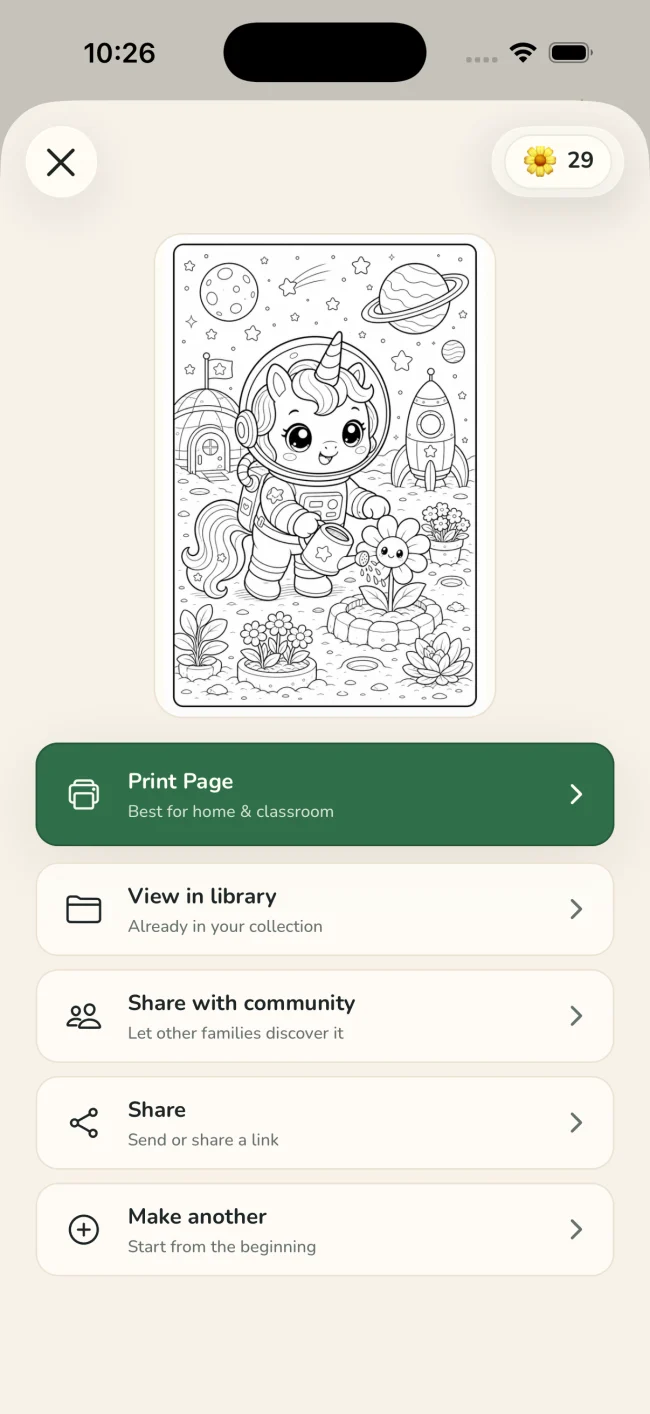
Print the page, put the screen away, and keep the finished version with the original memory.
One idea, four ways to playColoring · Tracing · Drawing · Story
Tuned for real paperStyle · line weight · detail · background · paper size
Why make it personal?
A printable feels different when it begins with someone—or something—you already love.
Recognizable people, places, and little moments make the printed page feel personal instead of generic.
Print one for today, save another in the family library, or make a new version with different detail.
The adult controls photos, generation, purchases, printing, privacy, and any community sharing.
A quiet privacy promise
Only the generated activity can be shared with the Lumo community—and only when you deliberately choose to share it.
Questions
Photos with clear subjects, good light, and an uncluttered scene generally make the easiest printables to recognize and color.
Yes. Lumo includes distinct coloring styles plus line-weight, detail, background, and output-size controls.
Lumo is kid-ready but caregiver-operated. An adult manages the account, photos, generation, purchases, printing, and sharing.
A familiar moment, ready for paper.
Free to start on iPhone and iPad